An honest AuthoredUp review for 2026: Chrome extension features, pricing plans, pros and cons, free plan limits, and how it compares to Taplio and Shield.
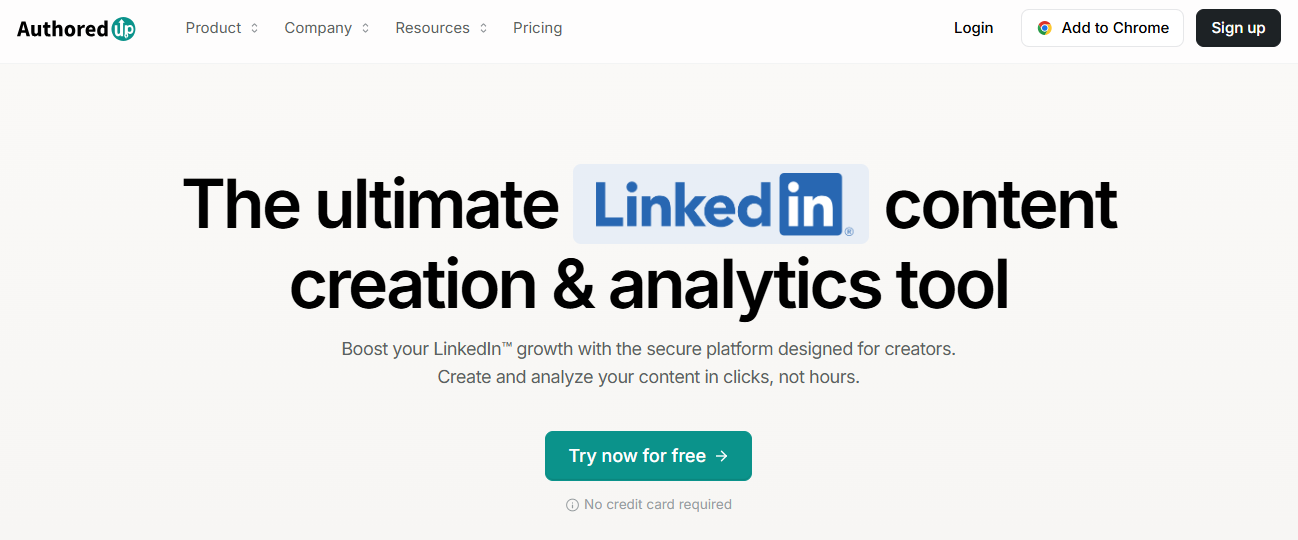
AuthoredUp is a Chrome extension that layers a formatting editor, content scheduler, analytics dashboard, and draft library directly onto LinkedIn's interface — no separate app, no tab-switching. A pattern observed consistently across LinkedIn creator workflows is that most people are not short on posting ideas; they are short on the feedback loop that tells them which formats and topics are actually landing. That is the gap AuthoredUp targets. At $19.95/month, the real question the community keeps returning to is not "does it work?" but "does it pay off?" — and the honest answer depends heavily on what you need it to do.
Key Takeaways
Who this is for: Solo LinkedIn creators, founders, and personal brand builders who publish regularly and want better formatting plus a performance feedback loop.
What you get: Chrome-based text formatter, content scheduler, post analytics, draft library, and LinkedIn newsletter promotion tools — all inside LinkedIn's own UI.
Free plan exists but caps analytics history, draft storage, and disables scheduling — good enough to test formatting, not enough to judge ROI.
Most counterintuitive finding: AuthoredUp does not grow your audience. It makes your existing content effort more legible and iterative. Growth still depends on you.
Who should look elsewhere: Agencies managing 5+ profiles, users who need AI-generated drafts, or teams requiring collaborative approval workflows.
Key competitor gap: AuthoredUp has no direct comparison table against Taplio and Shield in most reviews — this article fills that gap explicitly.
What Is AuthoredUp? (And What Does It Actually Do?)
What Is AuthoredUp?
AuthoredUp is a Chrome extension for LinkedIn — not a standalone web app — that embeds a full creator toolkit directly into LinkedIn's interface. Install it, open LinkedIn, and you get access to a text formatting editor, a draft and content library, a post scheduler, and an analytics layer without ever leaving your browser tab.
Its core promise is narrow and specific: help LinkedIn creators write better-formatted posts faster, understand what content is performing, and build a reusable library of drafts tied to real engagement data. It is not an AI writing assistant, not a CRM, and not a multi-platform scheduler. Understanding that upfront prevents the most common buyer mistake people make — expecting authored up linkedin functionality to replace a full content strategy suite.
Unlike broader social tools that bolt on LinkedIn as one of eight platforms, AuthoredUp was designed around LinkedIn's specific mechanics. That focus is both its greatest strength and its clearest limitation.
How AuthoredUp Works: Chrome Extension Setup and Onboarding
Setup takes under five minutes. You install the extension from the Chrome Web Store, connect your LinkedIn account via OAuth (no password stored), and AuthoredUp immediately begins pulling your post history and injecting its editor into LinkedIn's compose window. The onboarding flow is minimal — there is no lengthy wizard, which experienced users will appreciate and complete beginners may find abrupt. Within one session you can be formatting posts, reviewing historical analytics, and saving drafts to your library.
💡
Pro Tip:Before you pay, spend a full week on the free plan using only the text formatter and draft library. Those two features alone will tell you whether AuthoredUp fits your actual workflow — the scheduler and analytics are what justify upgrading.
The Chrome extension dependency is worth noting early: AuthoredUp does not function in Safari, Firefox, or mobile browsers. If your team uses multiple browsers or if you draft posts on a phone, that constraint matters before you commit.
AuthoredUp Features Breakdown: Formatting, Scheduling, Analytics, and Newsletter Tools
The authoredup linkedin text formatter is the tool's most-used and most-praised feature. It supports bold, italic, bullet formatting, Unicode styling, and live post previews — so you see exactly how the post renders in the LinkedIn feed before it goes live. Formatting surprises (line breaks collapsing, bullets misaligning) are one of the most common workflow frustrations on LinkedIn, and AuthoredUp eliminates them reliably.
AuthoredUp as a LinkedIn Content Creation and Scheduling Tool in 2026
AuthoredUp as a LinkedIn Content Creation and Scheduling Tool in 2026
The authoredup linkedin content creation scheduling features 2025 set has matured but remains focused rather than expansive. The scheduler queues posts to personal profiles and LinkedIn company pages with time-slot selection. What it does not offer is AI-optimised send-time recommendations based on your specific audience's activity patterns — a gap that tools like Taplio have moved to fill. If you already know your best posting windows from experience, this matters less. If you are still figuring that out, it is a limitation.
The analytics dashboard surfaces post-level data: impressions, reactions, comments, shares, and follower growth trends. Crucially, AuthoredUp's own analysis of 372,812 LinkedIn posts found that profiles with 1,001–5,000 followers achieve the highest median engagement rate at 2.68% — context that matters when benchmarking your own content performance against realistic baselines rather than inflated industry averages.
2.68%
Median LinkedIn engagement rate for profiles with 1,001–5,000 followers — the realistic benchmark for most active creators
The authoredup linkedin newsletter promotion tool features allow creators to repurpose newsletter content as feed posts, extending reach beyond subscribers to the broader LinkedIn audience. This is underrated: most newsletter-first creators lose significant organic reach by not cross-posting, and AuthoredUp's tooling makes the repurposing workflow faster without manual reformatting.
The content library stores every draft and published post with performance data attached. What separates top performers on LinkedIn from average accounts is not any single post — it is the ability to identify repeatable content patterns across dozens of posts. The content library makes that pattern recognition systematic rather than intuitive.
The LinkedIn analytics capabilities in AuthoredUp are solid for a solo creator but start to show limits at agency scale — per-client dashboards and exportable reports are not part of the feature set.
AuthoredUp Pricing Plans: Is the $19.95 Cost Worth It?
AuthoredUp Pricing Plans
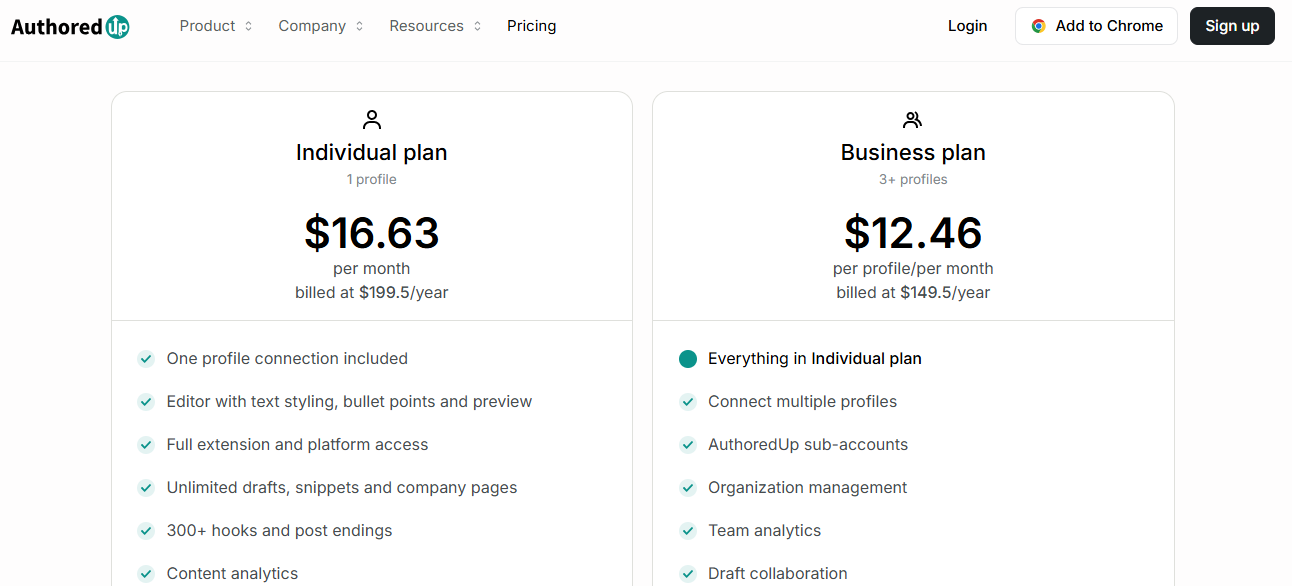
AuthoredUp's paid plan sits at approximately $19.95/month, with a discounted rate available on the annual plan. That positions it as one of the more affordable dedicated LinkedIn tools — but as the community consistently debates, the question is not whether $19.95 is cheap; it is whether it delivers measurable LinkedIn growth. The honest answer: it depends entirely on how you define "worth it."
Does AuthoredUp Have a Free Plan or Free Trial?
Yes — AuthoredUp does have a free plan. It includes access to the text formatter and a capped version of the content library, but restricts analytics history depth, limits draft storage, and disables the full scheduling functionality. That is enough to genuinely test the formatting experience, which is the tool's strongest feature. It is not enough to evaluate whether the analytics will improve your content strategy over time.
There is no free trial of the paid tier. Users either work within the free plan's ceiling or pay upfront. That is a real friction point for skeptical buyers, and it is worth flagging honestly — particularly because the ROI from analytics only becomes visible after several weeks of data accumulation.
⚠️
Warning:Clarify AuthoredUp's data retention policy before subscribing. If you cancel, understand whether your draft library, post history, and analytics data remain accessible — losing months of saved content and performance data is a genuine risk for heavy users.
At $19.95, AuthoredUp is cheaper than Taplio (which starts at around $49/month) but covers a narrower feature set. The value question resolves quickly once you are clear on your actual needs: if you want LinkedIn-specific formatting, analytics, and a content library for personal use, the price is reasonable. If you need AI writing, team collaboration, or CRM functionality, you will pay more elsewhere — and probably should.
The $19.95 question is really a workflow question. AuthoredUp saves time and surfaces insights. Whether those translate to growth depends entirely on what the creator does with them — the tool cannot substitute for content quality or posting consistency.
AuthoredUp Pros and Cons: Honest Assessment for 2026
Teams that evaluate AuthoredUp on its formatting capabilities alone tend to reach a positive verdict quickly. The formatting editor is genuinely the best available for LinkedIn-native use — smooth, accurate, with post previews that reflect actual feed rendering.
Pros:
Frictionless Chrome extension UX that integrates directly into LinkedIn without tab-switching or login re-authentication
The LinkedIn text formatter is best-in-class for post styling — bold, italic, Unicode, bullets, and live preview all work reliably
Affordable entry price relative to comparable tools
Content library with performance data attached enables genuine pattern recognition over time
Analytics dashboard is solid for a solo creator tracking personal brand ROI
No native AI writing assistance — you will still need a separate tool for draft generation
Scheduling lacks smart send-time optimisation based on audience activity
Multi-account management for ghostwriters and agencies is clunky — not designed for client workflow at scale
Chrome-only dependency means no mobile drafting and vulnerability to extension conflicts
No free trial of the paid tier creates a commitment barrier for price-sensitive buyers
Real ROI: What Measurable Results Can AuthoredUp Users Expect?
The most common failure mode among new AuthoredUp subscribers is expecting the tool to generate LinkedIn growth directly. It does not. What it does is make your existing content effort more precise: better-formatted posts reduce friction in the feed, and the analytics dashboard shortens the feedback loop from "I wonder if this content works" to "here is what the data shows."
Creators who skip the analytics review step — who use AuthoredUp purely as a formatter and never interrogate the performance data — typically find they are paying for a tool they could largely replicate with a free formatter. The ROI comes from using the content library and analytics together: identifying which post formats, hook styles, and topics drive impressions and engagement, then doubling down on those patterns deliberately. Users who build that review habit into their workflow consistently report that their content performance improves within 60–90 days. Users who do not tend to cancel within the first month.
🔴
Avoid:Buying AuthoredUp as a growth tool. It is a formatting and analytics aid. Growth comes from content quality and posting consistency — AuthoredUp makes those efforts more legible and iterative, but it cannot substitute for them.
Who Is AuthoredUp Best For? (And Who Should Look Elsewhere)
Solo LinkedIn creators, founders, and personal brand builders who publish regularly and want both better formatting and a performance feedback loop are AuthoredUp's clearest fit. If you post 3–5 times per week, care about how your posts look in the feed, and want to understand which content formats are driving results — AuthoredUp covers that workflow cleanly at a price that makes sense.
It also works for ghostwriters managing one or two client profiles who value the draft library and formatting speed. The content library in particular is useful for maintaining a client's historical post archive with engagement data attached. That said, it is not built for agency-scale client management. There is no client approval workflow, no password-free multi-account access, and no per-client reporting dashboard — the gaps that matter most when you are managing five or more profiles simultaneously.
AuthoredUp supports both personal profiles and LinkedIn company pages, making it viable for founders managing both simultaneously. Company page analytics are less granular than personal profile data, which is worth knowing before you rely on it for brand-level reporting.
Who should look elsewhere:
Agencies managing 5+ client accounts who need isolated workspaces and approval workflows
Users who need AI-generated drafts built from client voice or recorded input
Teams requiring collaborative editing or multi-user access
Creators on Safari, Firefox, or who primarily draft on mobile
AuthoredUp vs Taplio vs Alternatives: Which LinkedIn Tool Wins in 2026?
Most reviews of AuthoredUp describe its features in isolation. The more useful question is how it stacks up against the realistic alternatives a creator or agency is actually choosing between.
Best LinkedIn Content Creation Tools in 2026: Where AuthoredUp Fits
AuthoredUp vs Taplio is the comparison most buyers are actually making. Taplio charges roughly $49–$99/month and adds AI content generation, CRM-lite lead tracking, and team collaboration features. If AI writing and lead management are core to your workflow, Taplio wins on features. If you need LinkedIn-only formatting and analytics at lower cost — and you are not dependent on AI-generated drafts — AuthoredUp is the leaner, cheaper choice that covers the essentials without the overhead.
AuthoredUp vs Shield Analytics is a different comparison entirely. Shield is a pure analytics platform with deeper LinkedIn data visualisation but no formatting, scheduling, or content library. The two tools are complementary rather than competing — a small segment of power users run both simultaneously. If budget is the constraint, pick the one that addresses your bigger gap first.
Podawaa is a fundamentally different tool — it focuses on LinkedIn engagement pods for reach amplification. That is an algorithmically riskier strategy and not a true substitute for AuthoredUp's creator workflow. The two are not direct alternatives.
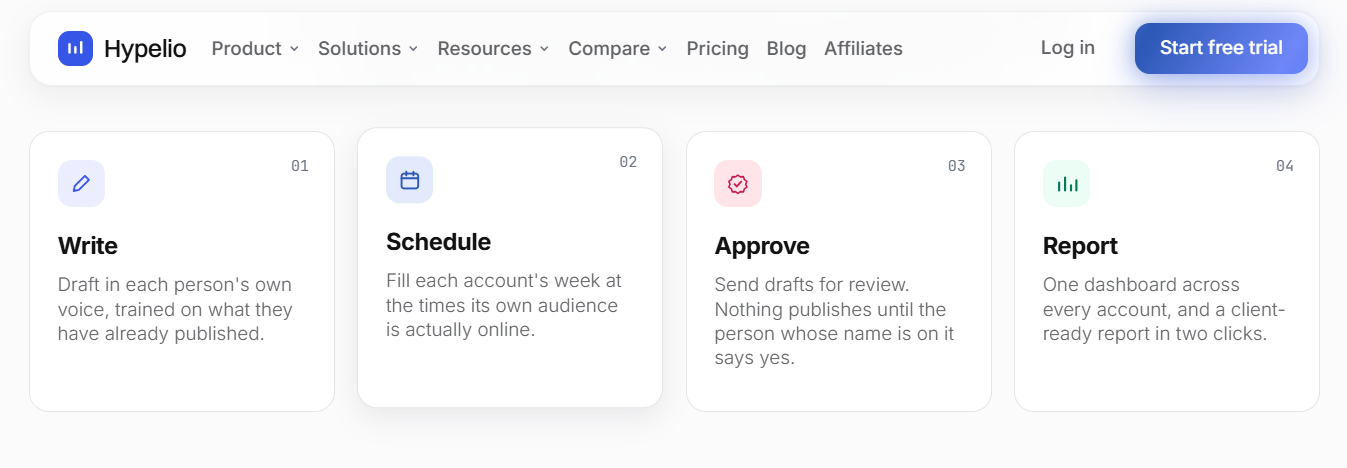
For ghostwriters and agencies managing multiple LinkedIn profiles at scale, the gap AuthoredUp leaves is significant: no client approval flow, no password-free workspace access, no per-client voice consistency. That is where purpose-built platforms like Hypelio fill a role AuthoredUp was not designed to fill. Hypelio's multi-account workspaces, voice-matched AI drafting built from client recordings, and client sign-off link workflow are specifically designed for the ghostwriter and agency use case — a different category of problem than the solo creator AuthoredUp serves best.
The best LinkedIn content creation tools 2026 shortlist for most users resolves this way: AuthoredUp for solo creators who prioritise formatting and content analytics; Taplio for creators who want AI writing built in; Shield for analytics depth without the extras; Hypelio for agencies and ghostwriters managing multiple client accounts at scale.
Managing LinkedIn for Multiple Clients?
Hypelio gives ghostwriters and agencies separate workspaces per client, voice-matched AI drafts, and client approval links — without ever holding a client's password.
AuthoredUp Reputation and Customer Support: What Real Users Say
According to independent reviews of AuthoredUp, the tool carries strong user ratings — particularly for its formatting quality, clean UX, and responsive product updates. The core tool does what it promises, reliably. That consistency of experience is what keeps churn low among users who have calibrated their expectations correctly.
Support responsiveness is frequently cited as a positive. The AuthoredUp team is reachable via email and responds to bug reports at a pace that suggests a small but attentive team. There is no live chat support, which matters when you hit a Chrome extension conflict mid-workflow and need a fast resolution. For most issues — formatting glitches, scheduling questions — email turnaround is adequate. For time-sensitive publishing problems, it can be a gap.
The recurring community tension is not about product quality but about ROI expectation mismatch. A recurring pattern among LinkedIn creators trying to grow their audience is that they attribute stagnant follower growth to the tools they use rather than to content quality or posting consistency. Users who expected AuthoredUp to grow their LinkedIn following report disappointment. Users who expected better formatting and content insights report satisfaction. That split is consistent and predictable — and it maps almost exactly to whether the buyer read the feature list carefully before purchasing.
On refund and cancellation: AuthoredUp's policy offers refunds within a defined window. Confirm the current terms directly before purchasing. The more important question to ask support before committing: what happens to your draft library, post analytics history, and scheduled content if you cancel? For heavy users who have built months of content history inside AuthoredUp, that data is genuinely valuable — and the access terms after cancellation deserve a direct answer before you are in a position to need it.
✓ The AuthoredUp Pre-Purchase Checklist
☐Confirm you use Chrome as your primary browser — AuthoredUp does not work elsewhere
☐Spend one week on the free plan testing the text formatter and draft library before upgrading
☐Clarify data retention policy with support: what happens to drafts and analytics if you cancel?
☐Confirm whether you need AI writing — if yes, budget for Taplio or a separate AI tool alongside AuthoredUp
☐If managing more than 2 client profiles, test multi-account switching before committing — the workflow is clunky at scale
☐Commit to reviewing your content library analytics weekly for at least 60 days — that habit is what delivers the ROI, not the tool alone
What consistently separates creators who get value from AuthoredUp from those who cancel within 30 days is not how they use the formatting tools — it is whether they build a weekly analytics review habit that closes the loop between publishing and iterating. The tool provides the data. The habit is what turns data into better content.
Need Free LinkedIn Tools to Get Started?
Hypelio's free tools — including a LinkedIn text formatter and content idea generator — let you test the workflow before committing to any subscription.
Is AuthoredUp the best tool for LinkedIn content creation in 2026?
AuthoredUp is the best LinkedIn tool for solo creators who prioritise formatting quality and a performance analytics loop at an affordable price. It is not the best choice if you need AI-generated drafts, multi-account agency workflows, or multi-platform scheduling — in those cases, Taplio or Hypelio are more purpose-fit options for 2026.
What are the main differences between AuthoredUp and Taplio?
AuthoredUp costs ~$19.95/month and focuses on formatting, analytics, and a content library — with no native AI writing. Taplio costs ~$49–$99/month and adds AI content generation, CRM-lite lead tracking, and team collaboration. If AI drafting and lead management matter, Taplio wins on features. If you want a leaner, cheaper LinkedIn-only toolkit, AuthoredUp is the cleaner choice.
Can AuthoredUp help me grow my LinkedIn audience?
Indirectly, yes — but not in the way most people expect. AuthoredUp does not automate outreach or amplify reach algorithmically. It helps you understand which content formats and topics drive engagement, so you can iterate deliberately. Growth still depends on content quality and posting consistency. The analytics feedback loop is what supports growth — AuthoredUp provides it, you act on it.
Does AuthoredUp have a free plan, and what are its limitations?
Yes. The free plan includes the text formatter and limited draft library access, but caps analytics history, restricts draft storage, and disables scheduling. It is sufficient to test the formatting workflow but not to evaluate the full analytics ROI. There is no free trial of the paid tier — you upgrade from the free plan or pay upfront.
Does AuthoredUp work for LinkedIn company pages or only personal profiles?
AuthoredUp works for both personal profiles and LinkedIn company pages. You can schedule and analyse content for both under one account. Company page analytics are less granular than personal profile data, so founders managing both should not expect identical depth of insight across the two account types.
What happens to my data and scheduled posts if I cancel AuthoredUp?
AuthoredUp's data retention policy after cancellation is not prominently published — this is worth confirming directly with their support team before subscribing. Scheduled posts not yet published, your draft library, and historical analytics access may be restricted after cancellation. For heavy users with months of saved content, clarifying this upfront is essential before committing.
Is AuthoredUp worth it for a beginner LinkedIn creator?
For beginners posting fewer than twice per week, the free plan is likely sufficient for the first few months. The paid plan earns its cost once you are posting consistently enough to generate meaningful analytics data and have enough drafts to benefit from a content library. At 3+ posts per week, upgrading tends to pay off within 60–90 days if you review the data regularly.
Written by the team behind Hypelio. We publish what we have actually seen work across the accounts we help run — and say so plainly when something did not.
Writing the post is the easy part
The hard part is the next one, and the one after that, still sounding like you. Hypelio drafts in your voice, keeps the queue full, and works the same whether you run one account or twenty.