Honest ContentIn review 2026: features, pricing plans, pros and cons, and how it compares to Taplio. Find out if ContentIn is worth it for your LinkedIn workflow.
ContentIn is an AI writing assistant built specifically for LinkedIn — it generates, schedules, and publishes posts for creators, solopreneurs, and ghostwriters who want a consistent publishing cadence without spending hours drafting. A pattern observed across tools in this category is that LinkedIn-specific focus genuinely narrows the gap between raw AI output and publishable content, compared to general-purpose alternatives. That said, ContentIn sits in a crowded field, and the question most people are actually asking isn't "is it good?" — it's "is it meaningfully different from the dozen other tools I'm already comparing it against?" This ContentIn review answers that directly.
Key Takeaways
Who it's for: solo founders, individual creators, and solopreneurs building a LinkedIn presence — less suited to agencies managing multiple clients.
What it does: AI post drafting, content scheduling, tone customisation, post analytics, and a linkedin post date extractor for timing optimisation.
Free plan: Yes — limited post credits, functional for evaluation but not daily publishing.
Pricing: Growth plan from $39/month; Pro from $59/month (annual pricing lower).
Biggest gap: No native multi-account workspace or client approval workflow — a real constraint for ghostwriters and agencies.
Counterintuitive finding: ContentIn's scheduling and date-analysis features are often more practically useful than its AI writing, yet most users focus only on the drafting side.
ContentIn is a LinkedIn content workflow tool — software that handles the full drafting-to-scheduling pipeline for LinkedIn posts, with AI assistance built into every step. It is not a general-purpose writing tool. Everything in the product is designed around LinkedIn's specific post formats, character limits, and audience expectations.
Its core promise is reducing the time from idea to published post while keeping content feeling personal, not generic. In practice, that means users spend less time staring at a blank text box and more time reviewing and refining drafts that are already 70–80% of the way there.
Primary use cases include:
Solo founders and executives building a personal brand on LinkedIn
Individual content creators maintaining a consistent posting cadence
Solopreneurs who know LinkedIn matters but struggle to find time to write
Ghostwriters managing a small number of client accounts
Unlike general-purpose AI tools, ContentIn is narrowly focused on LinkedIn content workflows — which is both its strength and its constraint. The focus means the output is better calibrated for LinkedIn than something like ChatGPT out of the box. The constraint is that it doesn't extend meaningfully beyond LinkedIn, and it doesn't offer the team infrastructure that agencies typically need.
Who Is ContentIn Best For?
ContentIn is best for individual creators and solopreneurs who want a structured, repeatable LinkedIn publishing process without building one from scratch. It suits people who have a clear niche, can articulate their audience, and are willing to spend time configuring the tool's voice settings. Users who treat it as a one-click content machine tend to be disappointed. Users who treat it as a drafting accelerator with scheduling built in tend to find genuine value.
It is a weaker fit for ghostwriters managing five or more client accounts simultaneously, or agencies that need shareable approval links, team member access controls, and multi-account workspaces under a single login.
How Does ContentIn Work? A Look at the Core Workflow
ContentIn works by connecting to your LinkedIn account, learning your tone through a profile setup process, and then generating post drafts that you refine and schedule — all inside a single interface. The workflow is intentionally linear: set up, generate, edit, publish.
ContentIn's AI Writing Assistant: How the LinkedIn Content Engine Works
How Does ContentIn Work?
The AI writing assistant generates drafts from three main inputs: a free-text prompt, a content pillar you've defined (e.g. "leadership lessons", "industry commentary"), or a template that structures the post format in advance. Users can edit inline — the editor is clean and distraction-free — before moving the post to the scheduling queue.
The step-by-step process looks like this:
Connect LinkedIn account — standard OAuth, no password sharing required. (~2 minutes)
Set up your voice profile — define your tone, audience, niche, and writing style preferences. This step significantly affects output quality. (~10–15 minutes upfront)
Generate a draft — enter a prompt or choose a content pillar and template. The AI produces a full post draft. (~30 seconds)
Edit inline — refine the draft in the editor. Add specific examples, remove generic lines, adjust the hook. (~5–10 minutes per post)
Schedule to LinkedIn — pick a publish date and time, or use ContentIn's scheduling recommendations based on your historical engagement data. (~1 minute)
💡
Pro Tip:The voice profile setup is the highest-leverage 15 minutes you'll spend on ContentIn. Users who rush past it get generic output and blame the AI — users who complete it carefully get drafts that need 20% less editing per post.
The ContentIn LinkedIn scheduling tool includes what the platform calls a linkedin post date extractor — a feature that surfaces your historical post performance organised by publish date, so you can identify which days and times your audience actually engages rather than relying on generic "best time to post" advice. It is one of ContentIn's more practically useful differentiators, and one of the most overlooked.
ContentIn Features in 2026: What's Actually Included
ContentIn's 2026 feature set is focused rather than sprawling. That's a deliberate product choice — not every tool needs to do everything — but it means you should verify the gaps before subscribing.
Core features included:
AI post generation (from prompts, templates, or content pillars)
Inline post editor with formatting support
Content calendar view and scheduling queue
LinkedIn scheduling tool with direct publishing integration
Post analytics and engagement tracking
Tone and voice customisation settings
Content inspiration and idea generation tools
LinkedIn post date extractor for historical engagement analysis
4.7 / 5
ContentIn's average user rating across 82 verified reviews
According to Capterra (2026), ContentIn holds a 4.7/5 average rating from 82 user reviews, with 99% positive sentiment. That is a strong signal for a niche tool — but it also reflects a user base that skews heavily towards individual creators, which is the audience ContentIn is built for. In practice, the ratings look different once you read the reviews from users who expected agency-level workflow features.
Personal Brand Voice Preservation: Does ContentIn Actually Sound Like You?
Personal brand voice preservation is the hardest problem in AI-assisted LinkedIn content — and ContentIn's approach is functional but limited. The tool uses your voice profile settings and writing style inputs to steer the AI, and for straightforward, moderately personal styles, the output is usable with light editing.
Where it falls short is for highly distinctive voices — writers with strong idiosyncratic habits, niche humour, or deeply personal storytelling. Teams that work with executives who have unusual or very specific communication styles consistently find that ContentIn's voice layer needs significant supplementation with manual editing. The ceiling on voice fidelity is real.
The most common failure mode across AI LinkedIn tools is treating voice preservation as a one-time setup task rather than an ongoing calibration — the tools that ask you to revisit and refine your voice profile regularly produce demonstrably better output over time.
Notable gaps worth knowing:
No native multi-account LinkedIn management workspace for agencies
No client-facing approval workflow with shareable review links
Limited team collaboration features (comments, assignments, role permissions)
No voice recording or story-capture input for building drafts from spoken ideas
These aren't bugs — they're product scope decisions. But they matter a great deal depending on who you are. A solo founder won't miss them. A ghostwriter managing six clients will hit every single one within the first week.
ContentIn Pricing Plans: Is It Worth It in 2026?
ContentIn's pricing is structured around feature tiers rather than usage caps at the higher levels. According to LinkedIn AI Poster (2026), the Growth plan costs $39/month ($31/month billed annually) and includes unlimited AI ghostwriting for one profile. The Pro plan costs $59/month ($48/month annually) and adds company pages and additional features.
Plan overview:
Plan
Monthly Price
Annual Price
Best For
Key Limit
Free
$0
$0
Evaluation only
Limited post credits
Growth
$39/mo
$31/mo
Solo creators
1 profile
Pro
$59/mo
$48/mo
Creators + company pages
Adds company pages
Is ContentIn Worth It in 2026? Honest Value Assessment
For a solo creator publishing three to five times per week, the Growth plan at $31/month annually is genuinely reasonable. The tool saves time, the scheduling integration removes friction, and the analytics are sufficient for individual optimisation. At that use case, ContentIn is worth it.
The value equation shifts for ghostwriters and agencies. ContentIn's pricing is per profile, and there is no native multi-account management workspace — meaning each client account is handled separately, without the cross-account visibility, voice isolation, or client approval workflow that professional content operations need. At scale, that adds up in both cost and operational friction.
⚠️
Warning:If you are managing more than two LinkedIn accounts, ContentIn's per-profile structure can quickly cost more than a platform built for multi-account use. Run the numbers before committing annually — the gap becomes significant at three or more profiles.
Does ContentIn have a free plan? Yes. The free tier gives you enough access to genuinely evaluate the AI writing quality, the editor, and the scheduling interface. It is too restricted for consistent daily publishing — you will hit credit limits before the month is out — but it is a real evaluation tool, not a hollow "freemium" with no functional features.
ContentIn Pros and Cons: An Honest Assessment
What separates ContentIn from the generic AI writing tools it competes against is its LinkedIn-specific focus — the templates, the scheduling integration, the analytics. These aren't cosmetic differences. They meaningfully reduce setup time for creators who would otherwise need to combine three or four separate tools to achieve the same workflow.
Pros:
Purpose-built for LinkedIn — not a repurposed general AI tool
Genuine drafting-to-scheduling workflow in one place
Free plan lowers the barrier to evaluation
Clean, approachable UI with a low learning curve
Scheduling recommendations tied to your own historical engagement data
Content inspiration tools pull from niche keywords and past top posts
Cons:
Voice preservation has a real ceiling for highly personal or distinctive styles
No native multi-account LinkedIn management or team collaboration features
Ghostwriter client approval workflow is not a native feature
Output can feel templated when prompts are vague or the voice profile is underdeveloped
Limited scalability for agencies managing multiple clients
Limitations Worth Knowing Before You Subscribe
Creators who skip the voice profile configuration step typically find that ContentIn's output is indistinguishable from any other AI writing tool — generic hooks, predictable structure, filler sentences. The tool's differentiation lives in that setup process. Skip it and you've paid for a less flexible ChatGPT wrapper.
🔴
Avoid:Publishing ContentIn's AI drafts without editing. Users who treat it as a set-and-forget tool consistently report disappointing engagement. The AI produces a strong structural draft — your editing pass is what makes it sound like you.
The scheduling and date-analysis features — particularly the linkedin post date extractor — are among ContentIn's most practical differentiators. A recurring pattern among LinkedIn creators is that they obsess over what to post and ignore when to post, missing the timing optimisation that can meaningfully lift reach. ContentIn's historical engagement data surfacing addresses this directly. Most users never fully use it.
ContentIn vs Taplio and Other Alternatives in 2026
Community data consistently shows that users evaluating ContentIn are comparing it not just against Taplio but against a wide field — Compose AI, Multilings, FYRAN, Storly, EditAI, Kie AI. That pattern signals something important: the real question most buyers are asking isn't "is ContentIn good?" It's "is ContentIn actually differentiated, or is it interchangeable with six other tools in this space?"
The honest answer is: it depends entirely on your use case. Here's the breakdown.
AI Writing Output Quality Benchmarking: How ContentIn Stacks Up
Across AI writing output quality benchmarking, ContentIn performs solidly in the middle of the pack for standard LinkedIn post formats — listicles, thought leadership posts, carousel text. It struggles more with highly personal storytelling formats where the emotional specificity needs to come from the writer's own experience, not from a generic AI model.
According to Tooliverse (2026), ContentIn holds a consensus score of 9.4/10 from 235+ reviews — a strong aggregate score that reflects genuine user satisfaction at the individual creator level. What this tells you is that the tool delivers on its core promise for the audience it's designed for. The gap appears when that audience grows more complex.
ContentIn vs Taplio comes down to what you optimise for. Taplio offers deeper LinkedIn analytics, lead generation and CRM-style features, and more robust multi-account support — it is the stronger choice for growth-focused users who want to combine content publishing with outreach and prospecting. ContentIn is simpler, cleaner, and more accessible for solo creators who don't need the CRM layer and find Taplio's feature density overwhelming.
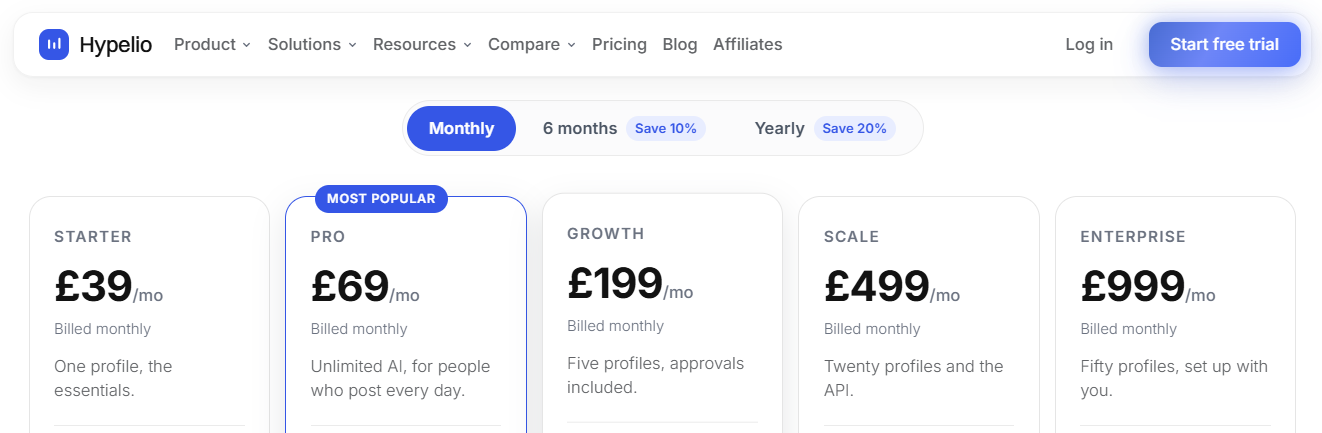
For ghostwriters and agencies where personal brand voice preservation and a ghostwriter client approval workflow are non-negotiable, neither ContentIn nor Taplio fully solves the problem. Tools built around a story-bank or voice-capture architecture — like Hypelio — take a meaningfully different approach: AI drafts are built from the client's own spoken words rather than from a generic model, and client sign-off happens via a shareable approval link before anything publishes. That's a structural difference, not a feature checklist difference.
Managing LinkedIn for clients? There's a better workflow.
Hypelio gives ghostwriters and agencies a multi-account workspace, voice-capture story bank, and built-in client approval — all without holding client passwords.
Among the best LinkedIn content creation tools 2026 for distinct use cases:
Solo creators prioritising drafting speed: ContentIn is a strong, focused choice.
Growth-focused users who want analytics and prospecting: Taplio has the edge.
Ghostwriters and agencies needing multi-account management, voice preservation from recordings, and client approval: Hypelio is the cleaner fit.
ContentIn alternatives worth evaluating beyond Taplio include any tool that solves your specific constraint — whether that's multi-account LinkedIn management, deeper analytics, or a more robust client-facing workflow. The best LinkedIn content creation tools in 2026 are more specialised than ever, which means the right answer genuinely depends on the shape of your operation.
After seeing this across a wide range of LinkedIn content operations, the pattern is consistent: solo creators and ghostwriters managing one to two accounts rarely regret picking a focused tool like ContentIn. Ghostwriters managing five or more clients almost always wish they had chosen infrastructure first.
✓ ContentIn Evaluation Checklist
☐Sign up for the free plan and complete the full voice profile setup — don't skip it
☐Generate at least 5 drafts across different content pillars to assess voice fidelity
☐Explore the LinkedIn post date extractor to verify historical engagement data is pulling correctly
☐Confirm whether you need multi-account management — if yes, verify ContentIn meets that need before subscribing
☐Check if you need a client approval workflow — ContentIn does not offer this natively
☐Compare annual vs monthly pricing — the annual discount is meaningful if you're confident after the trial
☐Always edit AI drafts before publishing — treat ContentIn as a drafting accelerator, not a finished content machine
Need LinkedIn content that actually sounds like you — or your client?
Hypelio's story bank builds AI drafts from your own voice recordings, so the output starts from your words — not a generic model. Rated 4.8/5 on G2, trusted by teams at Google, Meta, and Goldman Sachs.
What are the main pros and cons of ContentIn for LinkedIn creators?
ContentIn's main pros are its LinkedIn-specific focus, clean drafting-to-scheduling workflow, and functional free plan for evaluation. Its main cons are a real ceiling on voice preservation for distinctive styles, no multi-account workspace, and no native client approval workflow. It is well-suited to individual creators; less suited to ghostwriters or agencies managing multiple clients.
How does ContentIn compare to Taplio for LinkedIn growth?
Taplio offers deeper analytics, CRM-style lead generation, and more robust multi-account support — making it the stronger choice for growth-focused users who combine content publishing with outreach. ContentIn is simpler and more focused on drafting and scheduling, which makes it more accessible for solo creators who find Taplio's feature set more than they need.
Is ContentIn a good tool for solopreneurs managing LinkedIn content?
Yes — ContentIn is a strong fit for solopreneurs. The linear workflow (generate, edit, schedule) is easy to adopt, the free plan lets you evaluate properly before paying, and the scheduling and date-analysis features reduce the guesswork around post timing. Solopreneurs who invest time in the voice profile setup get the most out of it.
What features does ContentIn offer in 2026 and is the pricing competitive?
ContentIn in 2026 includes AI post generation, a content calendar, LinkedIn scheduling, post analytics, voice customisation, and a linkedin post date extractor for timing optimisation. Pricing starts at $31/month (annual) for the Growth plan — competitive for individual creators. For multi-account use cases, the per-profile structure can become expensive compared to platforms designed for agency scale.
Can ContentIn replace a LinkedIn ghostwriter for personal branding?
Not fully. ContentIn can reduce the volume of work a ghostwriter handles by accelerating drafting and scheduling, but it cannot replicate the strategic input, interview-based story extraction, or client relationship management that professional ghostwriters provide. For highly personal or executive-level content, human ghostwriting combined with a tool like ContentIn or Hypelio still outperforms AI alone.
Does ContentIn have a free plan, and is it enough to evaluate the tool?
Yes, ContentIn has a free plan with limited post credits. It is enough to genuinely evaluate the AI writing quality, the editor, and the scheduling interface — you will get a clear sense of whether the tool fits your style. It is not sufficient for consistent daily publishing; you will hit credit limits before completing a full month of content.
Is ContentIn worth it in 2026 for consistent LinkedIn publishing?
For solo creators publishing three to five times per week, ContentIn is worth the Growth plan at $31/month annually. The time saved on drafting and the scheduling integration provide genuine ROI at that scale. For ghostwriters and agencies, the missing multi-account and approval workflow features mean the investment is better directed toward a platform built for those requirements.
Written by the team behind Hypelio. We publish what we have actually seen work across the accounts we help run — and say so plainly when something did not.
Writing the post is the easy part
The hard part is the next one, and the one after that, still sounding like you. Hypelio drafts in your voice, keeps the queue full, and works the same whether you run one account or twenty.