Kleo is gone. Find the 7 best Kleo alternatives for LinkedIn in 2026 — from free Chrome extensions to full agency platforms, ranked and compared.
The Hypelio team
November 16, 2026
7 Best Kleo Alternatives for LinkedIn in 2026
📅 ⏱ 19 min read📝 ~3600 words
Kleo alternatives for LinkedIn have become a genuine search need in 2026 — and the reason is more specific than most comparison articles acknowledge. What people miss about Kleo isn't raw features; it's the combination of a lightweight Chrome extension feel with AI writing that actually sounded like them. A pattern observed across displaced Kleo users is that they don't want a heavier platform — they want familiarity and low-friction workflow continuity. This guide maps the seven strongest replacements across the full spectrum: from free Chrome extensions to full web platforms built for agencies, ghostwriters, and enterprise teams.
Key Takeaways
Who this is for: LinkedIn creators, ghostwriters, agencies, and founders who relied on Kleo and need a credible replacement
Kleo's core appeal was its extension-first, low-friction approach — most alternatives trade some simplicity for considerably more power
Free options exist: Supergrow and AuthoredUp offer the most usable free tiers among all seven tools reviewed
Agencies and ghostwriters managing multiple accounts will find Hypelio solves problems the others don't even address
Counterintuitive finding: Kleo V3 launched at $99/month with no free trial, no analytics, and no auto-publishing — many users were already underpowered before the ban
Voice calibration matters more than any single feature — test AI output before committing to a tool
What Kleo Did for LinkedIn (And Why People Are Looking for Alternatives)
What Kleo Did for LinkedIn
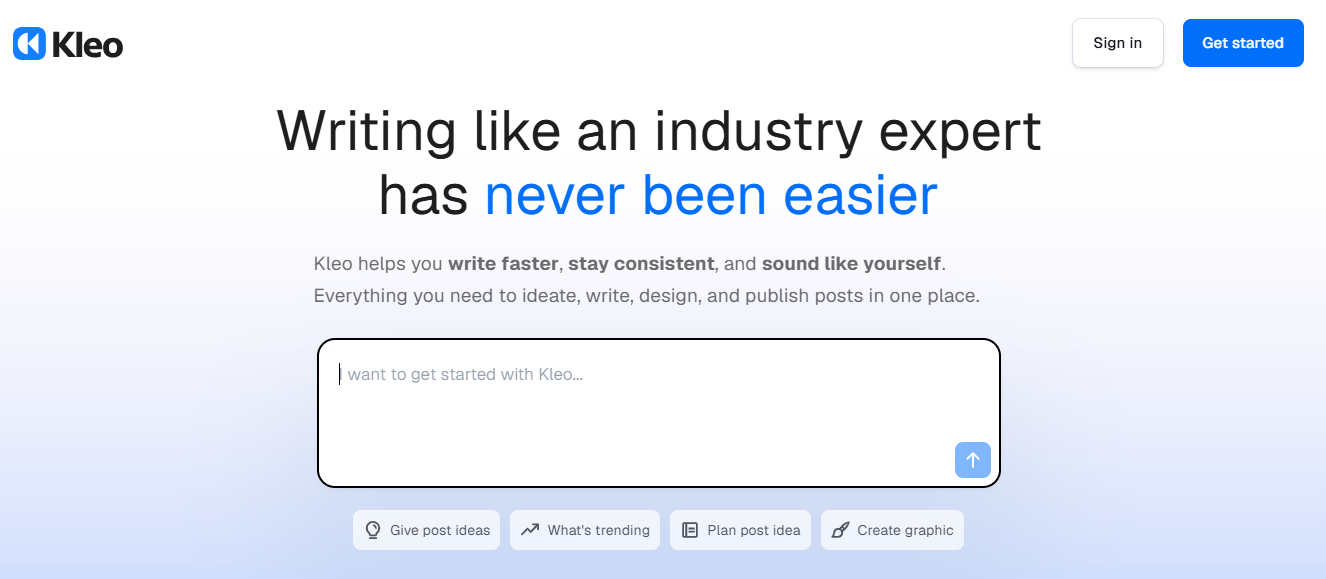
Kleo was a LinkedIn Chrome extension that combined an AI LinkedIn post generator, a curated inspiration feed of top-performing posts, and basic engagement analytics — all without leaving LinkedIn.com. No separate dashboard. No login to a third-party web app. Just an extension that added a layer of tools directly to your LinkedIn experience.
Its appeal was that simplicity. The AI writing felt closer to the user's natural voice than heavier platforms, partly because it was lightweight enough that users weren't fighting the tool. The learning curve was near zero.
Then it got more complicated. According to Exeedin (2026), Kleo V3 launched at $99/month with no free trial, no auto-publishing, and no analytics — a significant step backward in value. Shortly after, LinkedIn banned the extension outright for violating its automation policies. Creators were left mid-workflow with no migration path and no warning.
$99/mo
What Kleo V3 cost — with no free trial, no analytics, and no auto-publishing included
Is Kleo Free and What Did It Cost?
Kleo launched with a generous free tier, which is why it built such a loyal user base quickly. By its V3 iteration, that free access was gone. The paid plan sat at $99/month — positioning it above most of the alternatives listed in this article, which offer more features at lower price points. The value proposition had eroded considerably before the LinkedIn ban made the question moot.
What Happens to Your Content and Workflow After Kleo?
This is the question almost no comparison article answers — and it matters. When Kleo was banned, users lost access to the inspiration feed and AI writing layer immediately. Scheduled posts did not publish. Any drafts saved inside the Kleo interface were inaccessible. The practical advice: if you are migrating from any tool (not just Kleo), export your content history and draft archive before switching. Most web-based alternatives allow CSV export of post history. Extensions typically do not.
⚠️
Warning:Chrome extensions can be banned by LinkedIn without notice. Any content stored exclusively inside an extension — drafts, analytics history, saved inspiration — is at risk. Web-based platforms with their own databases give you ownership of your content history regardless of LinkedIn's policy decisions.
How to Choose the Right Kleo Alternative: Chrome Extension vs. Web App Trade-Offs
The honest trade-off that most comparison articles bury: Chrome extensions feel lighter because they are lighter. That's not a flaw — it's a deliberate design choice. But it also means a hard ceiling on what they can do.
LinkedIn Chrome extensions for creators still worth using in 2026 include AuthoredUp — which survives because it focuses on formatting, templates, and post preview rather than aggressive automation. Tools that scraped data or simulated clicks are the ones LinkedIn targeted. Extensions that add writing assistance without touching LinkedIn's data model have remained intact so far.
Web app platforms — Hypelio, Taplio, Supergrow — operate through LinkedIn's official API. That means they are inherently more stable, but they also require a tab switch and a separate login. The workflow shift is real. Creators who managed to stay on LinkedIn.com all day for Kleo will notice the change.
Key decision criteria to work through before picking a tool:
Solo creator or agency? — Multi-account support is a web app feature almost exclusively
Free or paid budget? — Extensions and freemium web apps cover basic needs; serious scheduling and analytics require paid plans
AI voice quality: Does the output sound like you after minimal editing? Test before committing
Analytics depth: Do you need post-level performance data, or just impression counts?
One profile or many? — If you manage clients, password-free multi-account access is non-negotiable
💡
Pro Tip:Run every tool's AI generator with the same LinkedIn post topic during your trial. The difference in output quality — specifically how much editing it needs before it sounds like you — reveals more about personal voice AI writing calibration than any feature comparison table.
The 7 Best Kleo Alternatives for LinkedIn in 2026 (Ranked and Compared)
Each tool below is evaluated on the five dimensions Kleo users care most about: AI writing quality, personal voice calibration, scheduling, analytics, and pricing — including free plan availability. Third-party ratings are included where verified data exists.
1. Hypelio — Best for Agencies and Ghostwriters Managing Multiple LinkedIn Accounts
Hypelio
Hypelio is a LinkedIn content management platform built specifically for the multi-account use case — the scenario Kleo never handled well and most alternatives still don't address properly.
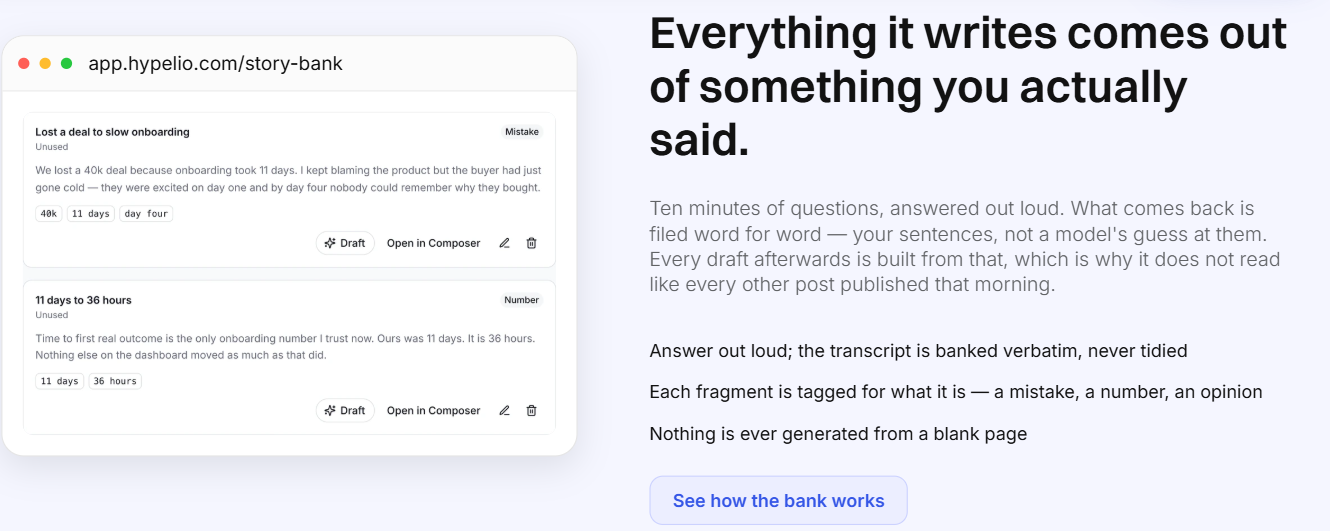
Its standout feature is the story bank system: content is captured from voice recordings verbatim, so AI-generated drafts are built from the user's actual words and phrases rather than generic model outputs. This is the closest thing available to true personal voice AI writing calibration — the AI doesn't guess at your voice, it works from recorded samples of it.
Other features relevant to the Kleo user base:
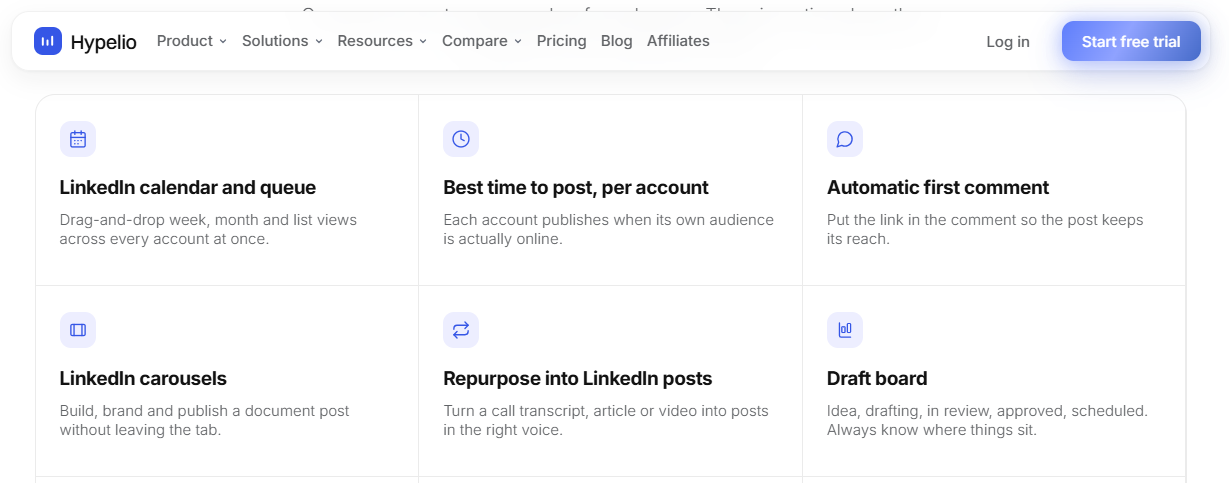
Multi-account workspaces with no password sharing — clients connect their own LinkedIn profiles
Client approval workflow via shareable link before anything publishes
Hypelio is rated 4.8/5 on G2 and used by teams at Google, Meta, Goldman Sachs, and Accenture. Pricing is per connected account, billed upfront — which makes it cost-effective at scale compared to Taplio's per-seat model. The most common failure mode among agencies is choosing a solo-creator tool and trying to retrofit it for client work. Hypelio is built the other direction — from agency requirements outward.
hypelio.com
Write LinkedIn posts that sound like you
Draft in your voice, schedule, and report. One account, or twenty. Priced per account, published up front.
2. Taplio — Best All-in-One LinkedIn Growth Platform
Taplio is the most feature-complete LinkedIn growth platform on this list — and that comprehensiveness is both its strength and its weakness. It covers AI post generation, scheduling, a post inspiration library, CRM-light relationship tracking, and analytics in a single web app.
For the creator who wants one tool to handle everything and doesn't mind a steeper learning curve, Taplio delivers. The AI linkedin post generator is solid, though it requires more prompt guidance than tools with dedicated voice calibration. For more detail on how it stacks up, see this Taplio alternative comparison.
The honest caveat: Taplio's pricing is higher than it appears at the individual plan level once you factor in the per-seat costs at agency scale. Teams managing more than three to four profiles will find the costs climb quickly.
Best for: Individual founders and creators who want depth of features and don't need multi-client account management.
3. Supergrow — Best Free-Friendly AI LinkedIn Post Generator
Supergrow offers the most accessible entry point on this list. Its free tier is genuinely usable — not a stripped-down trial — and the AI linkedin post generator produces clean drafts from minimal prompts. For creators who want to test AI-assisted LinkedIn writing without committing a budget, Supergrow is the right starting point.
According to MagicPost (2026), Supergrow's paid plans range from $39 to $199/month, positioning it as genuinely competitive at the entry level. The voice calibration is voice-first by design — users submit writing samples or answer prompts, and the AI adjusts outputs accordingly.
Limitations: scheduling depth is limited on the free plan, and multi-account support requires higher tiers. It's the closest thing to Kleo's original proposition — lightweight, AI-first, low commitment.
4. Shield Analytics — Best LinkedIn Post Analytics Tool
Shield Analytics doesn't write posts. It analyses them — and it does that better than anything else on this list, including what Kleo ever offered. For creators whose primary need is understanding which posts are working and why, Shield is the most honest answer.
The platform pulls LinkedIn post data and surfaces engagement breakdowns, follower growth attribution, and content performance trends over time. It's the tool serious personal brand builders pair with a separate AI writing tool to build a complete stack.
This is a relevant answer to the Kleo vs Shield Analytics LinkedIn comparison question: they were never really competitors — Kleo wrote posts, Shield analyses them. The best setup for analytics-focused creators is Shield for data plus any AI writing tool for content production.
5. AuthoredUp — Best Chrome Extension Alternative Closest to Kleo's Feel
AuthoredUp is the tool that most directly replicates the Kleo experience. It's a Chrome extension that lives inside LinkedIn, adding post formatting controls, a draft manager, a template library, and post preview — all without leaving LinkedIn.com.
What keeps it LinkedIn-safe while Kleo was not: AuthoredUp doesn't scrape data or simulate engagement. It assists with writing and formatting only, keeping it within LinkedIn's acceptable use boundaries.
The free plan covers basic formatting and templates. The paid tier (around $12–$15/month) adds analytics and content history. For solo creators who genuinely want the in-browser, extension-first feel of Kleo, AuthoredUp is the most direct replacement.
6. Lempod and 7. Fedica — Best for Engagement Pods and LinkedIn Scheduling at Scale
These two tools serve different but complementary needs at the more advanced end of LinkedIn content strategy.
Lempod is an engagement pod tool — it connects your post with a group of LinkedIn users who automatically like and comment on each other's content to boost early algorithmic reach. It's a tactic rather than a full content platform, and it carries more platform risk than the other tools on this list. Use with awareness of LinkedIn's current stance on coordinated engagement.
Fedica (formerly Tweepsmap) expanded to LinkedIn and covers scheduling, audience analytics, and content planning as a linkedin scheduling tool. It's well-suited for teams managing LinkedIn alongside other social platforms who want one scheduling interface across channels.
The tools that last on LinkedIn aren't necessarily the ones with the most features — they're the ones that work with LinkedIn's distribution model rather than against it. Extensions that simulate user behaviour get banned. Tools built on the API survive.
Feature Comparison Table: Kleo Alternatives Side by Side
The following table covers all seven tools across the dimensions that matter most to Kleo users. Free plan availability and starting price reflect the current 2026 offerings.
Which Kleo Alternative Is Right for Your Situation?
What separates top performers in this decision is testing voice output early — not comparing feature lists. Most creators who switch tools once end up switching again precisely because they chose based on features rather than whether the AI output actually sounded like them after minimal editing.
Here's how to map your situation to the right tool:
Solopreneurs and creators on a free or low budget: Start with Supergrow or AuthoredUp. Both replicate the most Kleo-like experience — Supergrow for AI-first writing, AuthoredUp for in-browser formatting — without a large financial commitment. These are also the tools closest to answering "which LinkedIn tool is better than Kleo" for a creator who just wants simplicity.
Ghostwriters and content agencies managing multiple client profiles: Hypelio is the clearest answer. Its voice profiles per account, client approval links, and password-free multi-account management solve problems the other tools on this list don't even address. For free tools to test first, check Hypelio's available entry points.
Personal brand builders focused on data: Shield Analytics paired with any AI writing tool gives you a stronger LinkedIn post analytics stack than Kleo ever offered. The combination costs less than most all-in-one platforms and covers both functions more deeply.
Multi-platform social teams: Fedica covers LinkedIn alongside other channels in one scheduling interface — practical for teams where LinkedIn isn't the only platform in play.
How to Grow on LinkedIn Without Kleo: Building a Sustainable Content Workflow
The LinkedIn scheduling workflow continuity problem after Kleo's ban is real, but it's also an opportunity to build on a more stable foundation. The creators who recovered fastest from the Kleo disruption were those who rebuilt around a web-based platform with API-level LinkedIn access — which means their tool won't disappear overnight because of an extension policy change.
A sustainable LinkedIn content workflow in 2026 looks like this:
Capture ideas continuously — voice notes, text, screenshots. A story bank system (Hypelio) or a simple notes folder keeps material flowing between creation sessions.
Draft with AI, edit for voice — use the AI as a first draft engine, not a final output. The editing step is where your voice is preserved. Tools with better calibration reduce editing time.
Schedule to audience activity windows — the best linkedin scheduling tool is the one that maps your post timing to when your specific audience is online, not generic "best time to post" guides.
Review analytics weekly — not daily. Weekly patterns in post performance reveal what formats and topics your audience responds to. Daily checking is noise.
✓ The Kleo Migration Checklist
☐Export or manually save any post drafts you had stored in Kleo or the previous tool
☐Note your best-performing post formats and topics before switching — this is your baseline
☐Choose your replacement tool based on voice output quality, not feature list length
☐Connect your LinkedIn profile via official API (not extension) to avoid future ban risk
☐Rebuild your content calendar with at least 2 weeks of posts queued before going live
☐Set up analytics tracking in the new tool so you have a clean performance baseline from day one
☐If managing client accounts: confirm client can connect their own LinkedIn profile without sharing credentials
Accelo Alternatives and Other LinkedIn Management Tools Worth Knowing
The accelo alternative and accelo alternatives search terms appear in the same universe as Kleo alternatives because both represent agencies looking to consolidate their tool stack. Accelo is a client work management platform — it handles project tracking, billing, and client communication for service businesses. Kleo was a LinkedIn content tool. They serve different functions, but agencies using both are often asking the same underlying question: how do I do more with fewer subscriptions?
For agencies that relied on Accelo for client reporting alongside Kleo for LinkedIn content, the practical answer is tool consolidation on the LinkedIn side first. Hypelio handles multi-account LinkedIn management, client approval workflows via shareable links, and one-click reporting — which replaces the LinkedIn-specific layer of an Accelo workflow without requiring a separate reporting tool for that function.
The broader principle: the best accelo alternative for a LinkedIn-focused agency isn't necessarily a generic project management tool. A purpose-built LinkedIn management platform that includes client deliverable workflows, approval tracking, and performance reporting handles the same client communication needs within the specific context where the work happens.
🔴
Avoid:Stacking a separate AI writing tool, a separate scheduling tool, a separate analytics tool, and a separate client reporting tool. The overhead of managing four logins and four data sources erodes the time savings each tool is supposed to deliver. At that point, a consolidated platform is cheaper and faster even if the per-feature price appears higher.
The LinkedIn creator tools pricing comparison almost always looks better for single-function tools in isolation — until you add up the total stack. A consolidated platform at $50/month is frequently cheaper than four $15/month tools doing the same job less coherently.
Ready to replace Kleo with something built to last?
Hypelio consolidates LinkedIn writing, scheduling, analytics, and client approvals — built on LinkedIn's official API, rated 4.8/5 on G2.
Frequently Asked Questions About Kleo Alternatives for LinkedIn
What are the best alternatives to Kleo for LinkedIn in 2026?
The seven strongest Kleo alternatives for LinkedIn in 2026 are Hypelio, Taplio, Supergrow, Shield Analytics, AuthoredUp, Lempod, and Fedica. For agencies and ghostwriters, Hypelio is the clearest fit. For solo creators wanting Kleo's extension feel, AuthoredUp is the closest match. For a free starting point, Supergrow offers the most usable free tier.
What happened to Kleo and why are people switching?
LinkedIn banned the Kleo Chrome extension for violating its automation and data scraping policies. Before the ban, Kleo V3 had already removed its free plan and raised pricing to $99/month with no analytics and no auto-publishing. The combination of a price increase and a sudden ban left creators mid-workflow with no transition path and limited time to migrate.
Is there a free alternative to Kleo for LinkedIn content creators?
Yes. Supergrow and AuthoredUp both offer genuinely usable free tiers — not stripped-down trials. Supergrow focuses on AI post generation; AuthoredUp focuses on formatting and templates inside LinkedIn's browser interface. According to Scripe (2026), most Kleo alternatives offer at minimum a free trial, with Buffer also providing a free plan for basic LinkedIn scheduling.
Which LinkedIn extension has the best post analytics instead of Kleo?
Shield Analytics is the strongest LinkedIn post analytics tool available, though it operates as a web app rather than a Chrome extension. For extension-based analytics, AuthoredUp includes basic post performance data on its paid plan (~$12/month). Teams that need deep audience and engagement analytics are better served by Shield, which provides far more data than Kleo's analytics ever did.
Can I use Taplio or Shield instead of Kleo for LinkedIn growth?
Yes — but they serve different functions. Taplio replaces Kleo's AI writing, scheduling, and content planning capabilities in a single platform. Shield replaces (and significantly expands) Kleo's analytics. Many serious LinkedIn creators use both: Taplio for content production and Shield for performance measurement. The Kleo vs Taplio comparison favours Taplio for all-in-one use; Shield wins outright on analytics depth.
How do I migrate my LinkedIn workflow from Kleo without losing momentum?
Three steps matter most. First, capture and save any existing drafts or content ideas before fully switching tools — most extensions don't export content. Second, rebuild a two-week post queue in your new tool before the transition date so publishing continuity is maintained. Third, choose a tool connected via LinkedIn's official API so your content migration after tool shutdown risk is eliminated going forward.
What are the best LinkedIn tools for personal branding 2026?
For best LinkedIn tools for personal branding 2026, the core stack is: an AI writing tool with voice calibration (Supergrow or Hypelio), a scheduling tool timed to your audience's activity (Hypelio or Taplio), and an analytics tool to measure what actually works (Shield Analytics). Solo creators can cover all three with one platform; agencies benefit from purpose-built multi-account management.
Written by the team behind Hypelio. We publish what we have actually seen work across the accounts we help run — and say so plainly when something did not.
Writing the post is the easy part
The hard part is the next one, and the one after that, still sounding like you. Hypelio drafts in your voice, keeps the queue full, and works the same whether you run one account or twenty.

 hypelio.com