Kleo vs Taplio: Which LinkedIn Tool Should You Choose?
Kleo vs Taplio compared honestly for 2026: pricing, AI writing quality, scheduling, and who each tool actually suits — including what happened to Kleo's Chrome extension.
The Hypelio team
November 17, 2026
Kleo vs Taplio: Which LinkedIn Tool Should You Choose?
📅 ⏱ 19 min read📝 ~3700 words
Kleo vs Taplio is one of the most searched LinkedIn tool comparisons of 2026 — but the honest answer is that it's no longer a fair fight. Kleo's Chrome extension has been shut down, fundamentally changing what this comparison means for new users. What remains is a choice between a tool that no longer works as it was reviewed (Kleo) and a full-stack platform with a real monthly cost (Taplio). A recurring pattern among creators and founders researching this comparison is that neither tool fully satisfies their needs — which is exactly why alternatives are pulling so much search traffic right now.
Key Takeaways
Kleo's Chrome extension is shut down — "choosing Kleo" in 2026 means something very different from what older reviews describe.
Taplio is the only complete LinkedIn content platform of the two, covering scheduling, AI drafting, carousels, and CRM-lite features.
Neither tool is built for agencies or ghostwriters managing multiple client LinkedIn accounts with strict voice separation.
Taplio starts at $69/month (Growth plan, 250 AI credits); Kleo 3.0 is $99/month — price no longer favours Kleo for most use cases.
The most useful question isn't Kleo vs Taplio — it's which tool (or alternative) actually fits your workflow, budget, and account structure.
Former Kleo users need a migration plan, not a comparison — this article covers both.
Kleo vs Taplio at a Glance: The 2026 Reality Check
Kleo vs Taplio at a Glance
Before going deeper, here's the quick-reference view. The table below reflects the actual state of both tools as of mid-2026 — not what reviews written a year ago described.
Feature
Kleo (2026)
Taplio (2026)
Pricing
$99/month (no free tier)
From $69/month (Growth)
Free Plan
No
No meaningful free tier
Chrome Extension
Shut down
Web app (no extension)
LinkedIn Post Scheduler
Not available
Yes — queue-based
AI Post Generation
Yes (with weekly coaching)
Yes (250 AI credits/mo on Growth)
Carousel Builder
No (as of June 2026)
Yes (limited quality)
Multi-Account Support
No
Limited
Integrations
Minimal
Zapier, webhooks, CRM-lite
Best For
Voice-driven writing + community
Solo founders, consistent posters
Trustpilot Score
3.0–3.5/5
See G2 / product reviews
⚠️
Warning:Most top-ranking reviews of Kleo were written before the Chrome extension shutdown. If you're reading a review that describes Kleo as a free, browser-layer feed enhancer, it's describing a product that no longer exists in that form. Check the publish date before making any decisions based on those reviews.
The pattern across this comparison is stark: users are searching for alternatives to both tools because neither fully delivers. This article will tell you which is less bad for your specific situation — not which one is perfect. Neither is.
What Is Kleo? The LinkedIn Extension That No Longer Exists as It Was
Kleo was a free Chrome extension that sat as a browser layer on top of LinkedIn — surfacing viral post inspiration, adding UI shortcuts to the native feed, and offering lightweight AI writing prompts for drafting posts. It was never a full platform. Think of it as a productivity skin for LinkedIn, not a standalone content management system.
The Chrome extension has been shut down. What exists in 2026 under the Kleo name — sometimes referred to as the Kleo app or Kleo AI — is a rebuilt product at $99/month with no free tier, weekly group coaching calls, and a community component. According to Postiv AI (2026), Kleo 3.0 does not offer a free tier and costs $99/month. That $99 is not buying more software than Taplio's lower tier — as noted by Taplio's own comparison (2026), "Kleo's $99 is not buying more software than Taplio's $69, it is buying humans" — referring to the weekly group coaching and active community that now define the Kleo 3.0 value proposition.
3.0 / 5
Kleo's average Trustpilot score across reviews — the only widely available third-party rating for the product
According to Trustpilot reviews of kleo.so, Kleo holds an average score of 3.0–3.5 out of 5 across a small number of reviews. The reviewers who score it positively tend to focus on writing quality; those who score it critically point to the price relative to what the software alone delivers. This is a limited signal — but it's the only independent third-party data available.
Account Safety and Data After the Kleo Chrome Extension Shutdown
This is the question most affected users want answered and almost no article addresses directly: what happens to your data after the Chrome extension closes?
When a Chrome extension is shut down or removed from the Chrome Web Store, it stops functioning immediately on Chrome's next update cycle. Any data stored locally in the extension (saved post drafts, inspiration bookmarks, browsing-layer customisations) becomes inaccessible unless the tool had explicitly synced it to a cloud account. For most Kleo extension users, the practical reality is that browser-side saved content is lost unless it was migrated to Kleo 3.0's web platform before the cutover.
From an account safety perspective, the Chrome extension operated under LinkedIn's terms of service — and LinkedIn has historically taken action against tools that automate or scrape its feed. The shutdown removes that risk going forward, but it also removes the tool entirely. Former Kleo extension users do not face any residual account risk from past use, but they do need a replacement immediately.
💡
Pro Tip:If you relied on Kleo's feed-layer inspiration feature, the best replacement is a dedicated LinkedIn content inspiration tool or a scheduler with a built-in trending post feed — not Kleo 3.0 at $99/month unless the coaching community is specifically what you need.
Even before shutdown, Kleo had meaningful gaps: no native LinkedIn post scheduler, no meaningful analytics, and no multi-account support. It was always a companion tool — that context matters when evaluating what to replace it with.
What Is Taplio? How the LinkedIn AI Tool Actually Works in 2026
What Is Taplio?
Taplio is a full-stack LinkedIn content platform covering the complete workflow from idea to publish: AI-powered post generation, queue-based scheduling, carousel creation, CRM-lite contact tracking, and an inspiration feed pulled from high-performing LinkedIn posts. Unlike Kleo, it is a web application — no Chrome extension, no browser dependency.
How Taplio uses AI for LinkedIn posts in practice is worth understanding before you pay for it. The Growth plan ($69/month) includes 250 AI credits per month. Each post generation consumes credits based on output length and complexity. When credits run out mid-month, you lose AI generation access until the next billing cycle — the tool still works as a scheduler and editor, but the AI drafting that justifies most of the price is unavailable. Heavy users who post daily and iterate on drafts will burn through 250 credits faster than the billing cycle allows.
taplio.com
Taplio | AI tool to grow on LinkedIn in 10 min/day
Taplio is the all-in-one AI tool for LinkedIn growth: find ideas, write in your voice, schedule at the best time and turn your audience into leads.
On integrations: Taplio connects with Zapier and supports webhooks, making it usable within a broader outreach stack for founders and consultants who want LinkedIn activity to trigger CRM updates or Slack notifications. This is a genuine differentiator from Kleo 3.0, which has minimal third-party integration support.
The mobile experience is functional but limited. The iOS and Android apps cover scheduling and basic post editing, but carousel creation and the full AI drafting workflow are desktop-only in meaningful practice. Teams that work primarily from mobile will hit that ceiling quickly.
Taplio Pricing Plans 2026: What You Actually Pay
Taplio's real AI access starts at $69/month on the Growth plan, which includes 250 AI credits. The Pro tier adds higher credit limits, analytics depth, and team features at a higher price point. There is no meaningful free plan — a trial may be available, but Taplio is a paid commitment from day one.
This reframes the common question about the Kleo vs Taplio pricing comparison: in 2026, Taplio is actually cheaper than Kleo 3.0 on the base tier ($69 vs $99), which inverts the assumption many users bring to this research having read older reviews that described Kleo as free.
Kleo vs Taplio: Pricing, AI Writing Quality, and Scheduling Compared
Kleo vs Taplio: Pricing, AI Writing Quality, and Scheduling Compared
The most important functional gap in this comparison is scheduling. Taplio has a fully built-out LinkedIn post scheduler with queue management and audience-activity-optimised timing windows. Kleo never had native scheduling — the extension had no publish or queue functionality. For anyone whose primary need is a consistent content calendar, this single gap makes Kleo an non-starter regardless of its other qualities.
Neither Kleo nor Taplio has a robust voice-capture mechanism — and that's the clearest signal that both tools were built for individual users writing their own content, not for professional ghostwriters or agencies managing multiple distinct client voices.
AI writing quality: There are no verified independent performance benchmarks comparing AI output quality between the two tools. What exists is vendor-produced comparisons and a small number of user reviews. The pattern across those reviews: Taplio's AI output is serviceable for drafting but requires meaningful editing to avoid sounding generic. Kleo 3.0's AI output is praised by its subscribers for writing quality — but that praise comes from a small and self-selected audience paying $99/month, which introduces obvious selection bias. Take both claims with appropriate scepticism.
Supergrow's comparison (2026) notes that Taplio is the stronger option on live performance data and that Kleo has no carousel builder as of June 2026. That's a significant gap for creators whose LinkedIn content strategy depends on carousel posts.
Personal brand voice consistency is where both tools show their limits. Neither captures voice at the input level — they generate from prompts, not from your existing writing patterns, phrases, or recorded thoughts. The most common failure mode across both platforms is posts that sound technically correct but could have been written by anyone. Creators who need strict voice fidelity typically end up doing as much editing as writing, which undermines the efficiency argument for either tool.
LinkedIn Scheduling Automation: Where Each Tool Wins and Loses
Taplio's scheduling automation is the most functional component of the platform. Queue-based scheduling lets you fill a content calendar in advance, with time slots informed by when your audience is most active. For a solo founder posting three to five times per week, this removes the daily decision of when to publish — a friction point that causes most people to post inconsistently.
What Taplio's scheduling doesn't do: it doesn't support multiple LinkedIn accounts within a single workspace in any meaningful way, and it doesn't offer a client approval step before posts go live. Teams where content passes through a review stage before publishing have to work around this with external tools or manual processes.
Kleo had no scheduling. Full stop. This isn't a gap — it was a design choice for a tool that was always meant to be a feed-layer companion, not a publisher. Searching for a linkedin post scheduler and landing on Kleo reviews will consistently disappoint.
Who Should Use Which Tool: Kleo, Taplio, or Neither?
Four clear use cases emerge from this comparison — and the right answer depends entirely on which one describes you.
Quick Answer: Best LinkedIn Tool for Your Goal
Solo founder, posting consistently to one account: Taplio — it's the more complete tool, and $69/month is defensible if you're publishing daily.
Former Kleo extension user: You need a migration plan, not Kleo 3.0 at $99/month. See the alternatives section below.
Ghostwriter managing distinct client voices: Neither — voice separation requires a different architecture entirely.
Creator on a tight budget wanting inspiration + light AI: Taplio at $69/month is the only functioning option of the two, but alternatives may serve better for less.
Taplio genuinely earns its price for one profile: a solopreneur or early-stage founder who posts regularly to a single account, wants an all-in-one LinkedIn personal branding tools stack, and treats LinkedIn as a primary channel for audience growth or sales outreach. For that user, the scheduling, AI drafting, and CRM-lite contact tracking combine into a coherent daily workflow.
Kleo is effectively no longer a choosable option for new users. Existing users of the old Chrome extension need a replacement. Users considering Kleo 3.0 at $99/month should evaluate whether the coaching community and writing support justify the premium over Taplio — for most people, they won't.
The use case where both tools fail honestly: agencies managing multiple client LinkedIn accounts, ghostwriters who need strict voice separation per client, and any team requiring a client approval step before content publishes. Neither tool was built for that workflow.
Common Mistakes to Avoid When Choosing a LinkedIn Content Tool
Choosing based on older reviews. Most Kleo reviews predate the shutdown. Most Taplio pricing comparisons predate the 2025–2026 tier restructuring. Check dates.
Assuming AI generation removes the editing step. Teams that skip editing typically see generic output hit their audience and underperform against manually written posts. AI drafts are starting points.
Paying for a scheduler without checking timing logic. A best time to post on LinkedIn that the tool optimises for is only valuable if the tool's underlying data matches your audience's actual activity window — not a generic average.
Choosing a solo tool for a team workflow. If two or more people touch each post before it publishes, neither Kleo nor Taplio has the right approval architecture for that.
✓ LinkedIn Tool Selection Checklist
☐Confirm whether you need scheduling (native publishing) or just drafting support
☐Count how many LinkedIn accounts the tool needs to serve — including future client growth
☐Check whether a client or team approval step is required before publishing
☐Verify the tool's AI credit limits against your actual posting frequency
☐Check the publish date on any review you read — Kleo specifically has changed drastically in 12 months
☐Assess whether voice consistency is important — if yes, neither Kleo nor Taplio solves this natively
☐Confirm integration requirements: does it need to connect to your CRM, Slack, or Zapier workflows?
Managing LinkedIn for more than one person?
Hypelio handles multi-account LinkedIn management with separate voice profiles, client approval links, and per-account scheduling — built for ghostwriters and agencies.
Taplio Alternatives (and What to Do If You Were Using Kleo)
The search volume for Taplio alternatives has grown significantly through 2026 — and most of it is coming from two distinct groups: users who find Taplio too expensive or too generic for their needs, and former Kleo extension users who need a replacement immediately. These two groups need different things.
For solo creators on a budget who want inspiration, light AI drafting, and scheduling without committing to $69–$99/month: tools like ContentIn and Supergrow offer entry-level plans that cover the core drafting and scheduling loop. They're not dramatically better than Taplio's AI output, but they carry a lower cost of experimentation.
For former Kleo extension users specifically: what you're replacing is a feed-layer UI enhancement and a free-tier AI writing nudge. The closest functional replacement for the feed inspiration piece is a tool with a built-in trending posts feed — Taplio has this, as does Supergrow. For the writing nudge, any AI drafting tool will do. You do not need Kleo 3.0 at $99/month unless the coaching community is the specific thing you want.
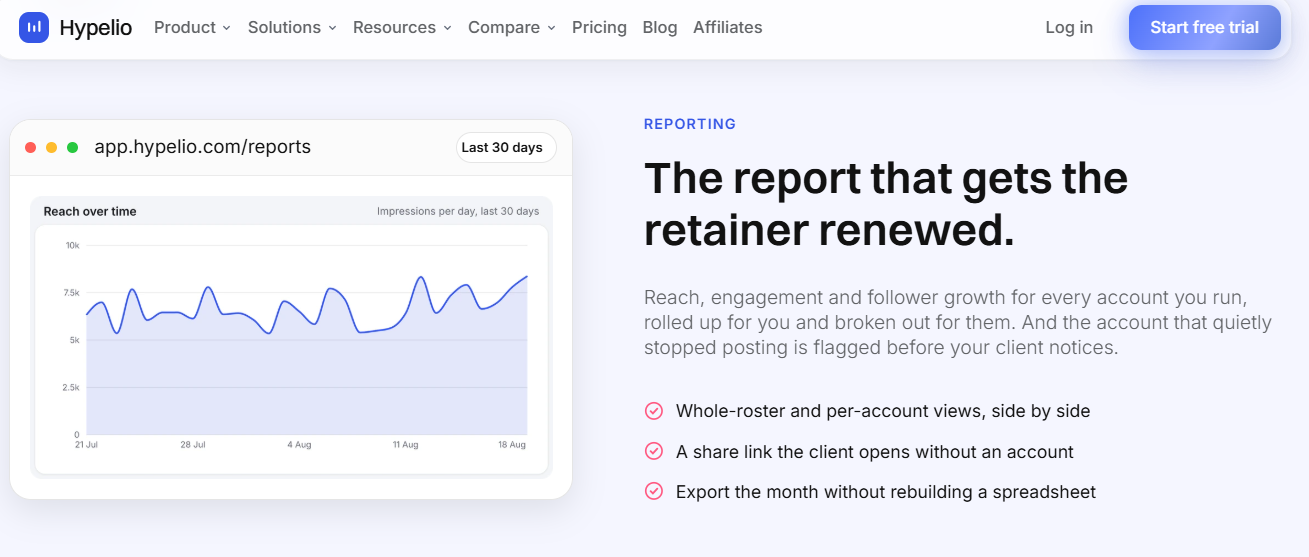
For agencies, ghostwriters, and multi-account managers — the use case neither Kleo nor Taplio addresses — the purpose-built option is Hypelio. It's the tool built specifically for the workflow both Kleo and Taplio miss: managing multiple LinkedIn profiles under one workspace without holding client passwords, with each account maintaining its own voice, calendar, and analytics. The story bank feature captures content from voice recordings verbatim, so AI-generated drafts are built from each client's own words and phrases — not from a generic model output that sounds like everyone else's content. A client approval workflow sends drafts via shareable link before anything publishes. Hypelio is rated 4.8/5 on G2 and used by teams at Google, Meta, and Goldman Sachs, and pricing is per connected account rather than per seat — which scales more cost-effectively for agencies than Taplio's tier structure.
hypelio.com
Write LinkedIn posts that sound like you
Draft in your voice, schedule, and report. One account, or twenty. Priced per account, published up front.
On content repurposing: none of Kleo, Taplio, or most alternatives offer native cross-platform publishing to newsletters or Twitter/X. If your workflow requires the same content adapted for multiple channels, you'll need a separate repurposing layer — tools like Typefully or a manual adaptation step — regardless of which LinkedIn tool you choose. This is a genuine gap in the market that neither tool fills.
The LinkedIn ghostwriting workflow that professional ghostwriters actually need — voice capture, draft review, client sign-off, publishing to multiple accounts without shared credentials — is a category that Taplio was not designed for and Kleo 3.0 does not address. That's not a criticism of either tool. They were built for individual users, not agencies. What consistently separates tools that work at agency scale from solo-user tools is the presence of an approval layer and account isolation — without those two things, every other feature is secondary.
🔴
Avoid:Sharing LinkedIn login credentials with any tool that isn't explicitly designed for multi-account management with credential isolation. Taplio and most alternatives require your LinkedIn credentials — a risk that grows proportionally with how many client accounts you manage. For agency use, a tool that never holds client passwords is not a nice-to-have; it's a liability question.
If you're evaluating a LinkedIn post generator as your primary need, the right question isn't which tool's AI is better — it's whether the generated output will sound like you (or your client) without an hour of editing. The tools that answer that question best are the ones that capture voice at the input level, not just the output level.
Ready to manage LinkedIn content that actually sounds like each person?
Hypelio's story bank builds AI drafts from your own words — no generic output, no credential sharing, no approval guesswork.
Kleo was a Chrome extension offering feed-layer LinkedIn enhancements and lightweight AI writing prompts — it has since shut down its extension and relaunched as a $99/month coaching-led platform. Taplio is a full-stack web application covering AI post generation, scheduling, carousels, and CRM-lite features from $69/month. They were never direct competitors — one was a browser companion, the other a content management platform.
Should I use Kleo or Taplio to grow my LinkedIn audience?
Taplio is the only functioning option of the two for new users in 2026. Kleo's Chrome extension no longer works, and Kleo 3.0 at $99/month is primarily a coaching community with writing support — not a growth tool in the conventional sense. For audience growth, Taplio's scheduling and inspiration feed offer more practical leverage than Kleo 3.0's current feature set.
Is Taplio worth it for LinkedIn creators?
Taplio is worth it for solo creators who post consistently to a single account and want an all-in-one scheduling and AI drafting workflow. It becomes less defensible if you exhaust your 250 AI credits mid-month, rarely use the CRM features, or need to manage more than one LinkedIn account. For creators who primarily need a LinkedIn analytics tool and voice-consistent output, the value proposition weakens.
Does Kleo have a free plan, and can it replace Taplio for LinkedIn post scheduling?
No. Kleo 3.0 does not offer a free tier — it costs $99/month. And it cannot replace Taplio for scheduling because it has no native LinkedIn post scheduler at all. The old Chrome extension was free, but that product no longer exists. For post scheduling, Taplio or a dedicated LinkedIn content scheduling tool is the only viable path.
Which LinkedIn scheduling tool is better for someone on a tight budget?
Taplio at $69/month is cheaper than Kleo 3.0 at $99/month — which surprises most people who researched this topic when Kleo was free. For even tighter budgets, tools like ContentIn or Supergrow offer entry-level plans below $69/month with comparable AI drafting and scheduling features. Neither Kleo nor Taplio offers a free plan in 2026.
Can Kleo replace Taplio for LinkedIn post scheduling, and what are the best Taplio alternatives in 2026?
Kleo cannot replace Taplio for scheduling — it has no scheduling functionality. The strongest Taplio alternatives in 2026 depend on your use case: ContentIn and Supergrow for solo creators; Hypelio for agencies and ghostwriters managing multiple accounts with voice separation and client approval workflows. Per MeetSona (2026), other options for founders include Scripe and RedactAI.
How does Taplio's AI credit metering work in practice?
Taplio's Growth plan includes 250 AI credits per month. Each post generation consumes credits based on output length. When credits run out, AI drafting becomes unavailable until the next billing cycle — the scheduler and editor still work, but the AI component that justifies most of the subscription cost is inaccessible. Daily posters who iterate on drafts will typically exhaust 250 credits within two to three weeks.
The most telling signal in this comparison isn't pricing or features — it's that the most common search query around both tools in 2026 is "alternatives." When a tool's most popular keyword is a search for something else, that tells you more about user satisfaction than any vendor-produced review.
Written by the team behind Hypelio. We publish what we have actually seen work across the accounts we help run — and say so plainly when something did not.
Writing the post is the easy part
The hard part is the next one, and the one after that, still sounding like you. Hypelio drafts in your voice, keeps the queue full, and works the same whether you run one account or twenty.


 taplio.com

 hypelio.com