7 Best Supergrow Alternatives for LinkedIn in 2026
Compare the 7 best Supergrow alternatives for LinkedIn in 2026 — AI writing, multi-account support, pricing, and free tiers reviewed side by side.
The Hypelio team
November 11, 2026
7 Best Supergrow Alternatives for LinkedIn in 2026
📅 ⏱ 21 min read📝 ~4100 words
Supergrow alternatives for LinkedIn have multiplied fast — and picking the wrong one wastes weeks of onboarding time with no measurable improvement in engagement. A pattern observed across creators and agencies evaluating these tools is that the question is never really "which tool is best?" — it's "which tool fits this specific goal?" AI content generation, lead generation, and agency workflow management each point to a different answer. This guide cuts through the noise with a decision-first framework: match your use case to the right tool, then compare the shortlist on the dimensions that actually move results.
Key Takeaways
Who this is for: Creators, founders, ghostwriters, and agencies managing one or more LinkedIn profiles who have outgrown Supergrow or are evaluating it for the first time.
What you'll learn: How each of the 7 alternatives compares on AI writing quality, multi-account support, scheduling, analytics, and pricing — in one scannable table.
The decision framework: Your primary goal (content creation, lead gen, or team workflow) should determine your shortlist — not feature counts.
The most counterintuitive finding: The best AI ghostwriter for LinkedIn posts is rarely the one with the most templates — it's the one trained on your own words, not generic model outputs.
Migration tip: Export your Supergrow post history and analytics before cancelling — most alternatives won't import this data automatically.
Hypelio is the strongest pick for agencies and ghostwriters managing multiple profiles; Taplio leads for lead generation; AuthoredUp for analytics-driven solo creators.
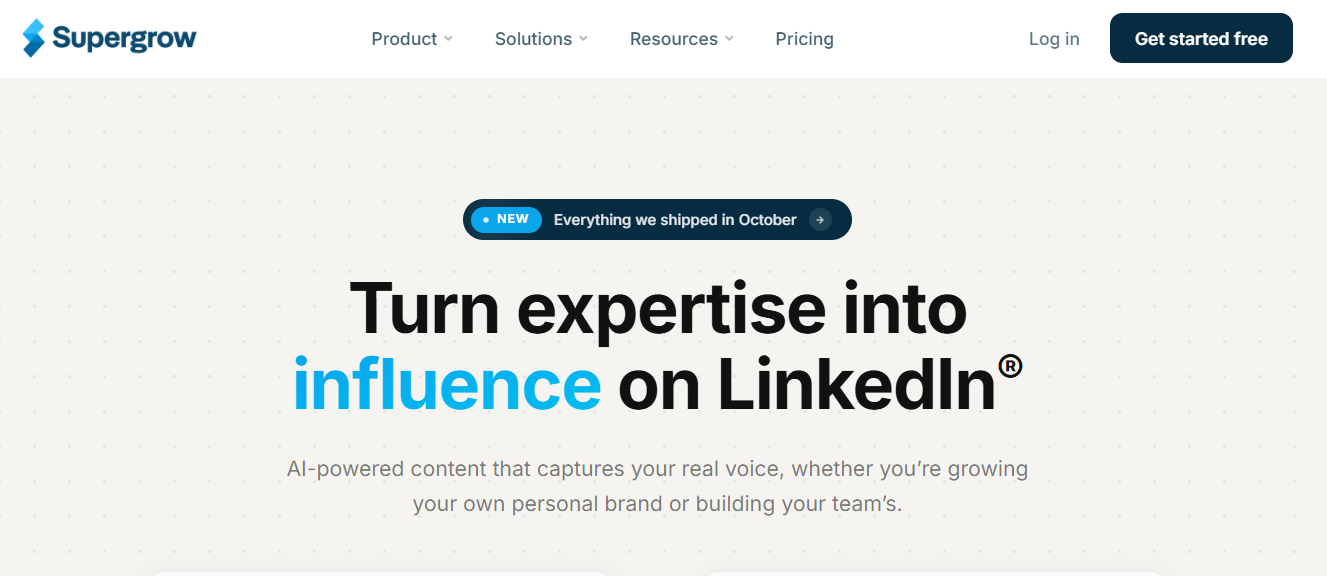
Supergrow is an AI LinkedIn content creation tool built for solo creators who want to post consistently without spending hours writing from scratch. It offers AI post drafting, a carousel maker, basic scheduling, and lightweight analytics — positioned squarely at individual professionals growing a personal brand on LinkedIn. It is not built for teams, agencies, or users who need deep voice personalisation.
In a typical LinkedIn content scheduling workflow, Supergrow sits at the drafting and scheduling end: you give it a topic or repurpose existing content, it produces a draft, and you schedule it. The carousel maker is a genuine differentiator at lower price points — few tools at this tier offer it at all. Analytics cover follower growth and post reach, though several community reviewers flag that reporting is shallow by agency standards.
Supergrow Pricing Plans in 2026
Supergrow pricing plans structure around two main tiers. As noted in a 2026 review by Postiv, the Pro plan sits at approximately $39/month and gates carousels and analytics behind it — the free plan is limited to basic drafting. A Teams tier is available for multi-seat access, though multi-account LinkedIn management (managing separate client profiles) is not a native strength. For users who need to manage more than one LinkedIn profile, this pricing model quickly becomes expensive relative to purpose-built alternatives.
⚠️
Warning:Supergrow gates carousels and meaningful analytics behind the $39 Pro plan. If you're evaluating based on the free tier, you're not seeing the full product — and you won't be comparing like-for-like against paid alternatives.
Understanding the Supergrow pricing baseline matters because most alternatives either match it at the solo-creator level or undercut it significantly when you scale to multiple accounts. With that baseline set, here's why a growing number of users are actively looking elsewhere.
Why People Are Looking for a Supergrow Alternative in 2026
Users aren't leaving Supergrow because it's broken. They're leaving because they've outgrown it. That distinction shapes which alternative actually solves the problem — and it's the distinction most comparison articles miss entirely.
The honest limitations cluster around four areas:
Weak multi-account LinkedIn management: Supergrow is built for one profile. Managing client accounts requires separate logins — a friction point agencies flag consistently.
Limited voice personalisation: AI-generated posts pull from generic model outputs rather than the creator's own language, producing content that reads competently but sounds like everyone else on the platform.
No client approval workflow: There is no native way to send a draft to a client for sign-off before it publishes — a non-negotiable for professional ghostwriters.
Shallow analytics: Follower count and post reach are tracked, but engagement rate by post type, best-time-to-post data, and client-ready reporting are absent from the core product.
Three distinct use-case buckets drive people to look at AI LinkedIn content creation tools beyond Supergrow:
AI content generation quality — users who want posts that genuinely sound like them, not a polished generic template.
LinkedIn growth and lead generation — users who need CRM integration, outreach sequencing, and engagement tracking tied to pipeline outcomes.
Agency or team workflow management — users managing multiple profiles who need password-free client access, approval flows, and consolidated reporting.
The same alternative rarely wins all three. Choosing based on feature lists rather than your primary use case is the most common — and most expensive — switching mistake.
The right question isn't "which LinkedIn tool has the most features?" — it's "which tool is built for the specific outcome I'm trying to achieve in the next 90 days?"
What Features Should a LinkedIn Content Tool Actually Have?
What Features Should a LinkedIn Content Tool Actually Have?
Four non-negotiables separate a LinkedIn content tool worth paying for from one that just produces more content:
Authentic AI-generated posts trained on your own voice — not generic prompts. The difference in engagement rate between posts that sound like you and posts that sound like "a LinkedIn professional" is measurable within the first fortnight.
Scheduling optimised to audience activity — not defaulting to Tuesday-at-9am for every account. What features should a LinkedIn content tool have here? Best-time-to-post data tied to your specific audience's behaviour, not industry averages. See this breakdown of optimal LinkedIn posting times for the underlying data.
Analytics that go beyond vanity metrics — specifically engagement rate by post type, follower growth rate, and reach-per-impression data.
LinkedIn carousel maker — if visual content is part of your strategy, a tool without carousel capability forces you into a second tool, which fragments your workflow.
Agency and team requirements add another layer most reviews overlook entirely:
Multi-account workspaces without sharing client passwords
Client approval workflows — drafts sent for sign-off before anything goes live
One-click client-ready reporting
Mobile app availability for capturing ideas and approving content on the go
The Decision Framework: Match Your Goal to the Right Tool
Quick Answer: Best Supergrow Alternative by Goal
Best for agencies and ghostwriting at scale → Hypelio — multi-account workspaces, client approval, voice-trained AI, no shared passwords
Best for lead generation and CRM → Taplio — outreach sequences and CRM integration built in
Best for analytics-driven solo creators → AuthoredUp — deepest post analytics and formatting tools at the individual level
Best AI ghostwriter trained on your voice → ContentIn — iterative AI training on your writing style
Best free or low-cost entry point → MagicPost — functional free tier with no feature gating on core drafting
With that framework in place, here's how each of the seven tools actually performs when tested.
The 7 Best Supergrow Alternatives for LinkedIn in 2026, Compared
Each tool below was evaluated on: AI writing quality, multi-account support, client approval workflow, LinkedIn carousel maker, scheduling intelligence, mobile app availability, analytics depth, free trial or freemium tier, and starting price. Where user reviews are cited, sources are G2 and Trustpilot verified reviews.
1. Hypelio — Best for Agencies and AI Ghostwriting at Scale
1. Hypelio — Best for Agencies and AI Ghostwriting at Scale
Hypelio is a LinkedIn content management platform built specifically for the multi-account use case — agencies, ghostwriters, and founders managing several profiles at once. Its standout feature is a story bank: a system that captures content ideas from voice recordings verbatim, so AI-generated drafts are built from the creator's own words and phrases rather than generic model outputs. That difference in source material produces posts that read distinctly like the person behind the account.
What separates Hypelio from most competitors is the combination of three features that professional operators need simultaneously: multi-account workspaces where you manage every client profile under one login without ever holding their password, a client approval workflow where drafts go out for sign-off via link before anything publishes, and a one-click reporting dashboard that clients can read without explanation.
According to Hypelio's internal data, the platform holds a 4.8/5 rating on G2 and is used by professionals at Google, Meta, Goldman Sachs, and Accenture — a signal that it performs at enterprise scale, not just for solo creators. Pricing is structured per connected account, billed upfront, which makes it meaningfully cheaper than Taplio when you're managing five or more profiles. For anyone running a LinkedIn content operation at agency scale, this is the strongest pick in this list.
4.8/5
Hypelio's G2 rating — used by professionals at Google, Meta, Goldman Sachs, and Accenture
2. Taplio — Best for Lead Generation and CRM Integration
Taplio's core advantage is what happens after a post performs: it surfaces the people who engaged with your content and routes them into outreach sequences tied to a lightweight CRM. For users whose primary LinkedIn goal is pipeline — not just audience growth — that loop between content and conversation is genuinely useful.
The trade-off is price. At approximately $49/month, Taplio sits at the premium end, and its AI writing tools are competent rather than personalised. Teams that need a full Taplio alternative for multi-client management will find it doesn't scale as cleanly as purpose-built agency tools. It's the right choice if lead generation is your primary metric; less so if authentic content quality is.
💡
Pro Tip:If you're evaluating Taplio for lead gen, test it over a full 30-day cycle — not a one-week trial. The CRM loop only shows measurable results after several posts have run and engagement has accumulated.
3. AuthoredUp — Best for Content Formatting and Post Analytics
Among the best LinkedIn AI writing tool options in 2026 for solo creators, AuthoredUp earns its place through two specific strengths: its formatting editor (which gives you precise control over how text renders on LinkedIn — bold, bullets, spacing) and its post history analytics, which let you see which of your past posts actually drove engagement, not just impressions.
The free tier is functional — a rarity in this category. It's the right starting point for creators who want to understand their content data before committing to a paid tool. The limitation is that it doesn't scale to multi-account management without significant added cost, and AI writing assistance is lighter than ContentIn or Hypelio.
When comparing Supergrow vs AuthoredUp, the formatting richness and post history analysis in AuthoredUp clearly wins for data-driven creators. Supergrow's carousel maker is the differentiator going the other way — AuthoredUp doesn't match it.
4. ContentIn — Best AI Ghostwriter Trained on Your Voice
ContentIn's AI Ghostwriter trains on your writing step by step: you feed it existing posts, correct its drafts over time, and it progressively narrows its output toward your natural tone and vocabulary. In practice, that iterative loop — submit a draft, mark what sounds right and what doesn't, repeat — takes roughly 10–15 sessions before the output becomes reliably distinctive. It's a genuine AI ghostwriter for LinkedIn posts rather than a prompt-and-publish tool.
The specific analytics metrics ContentIn provides include: post reach, engagement rate by format, and writing consistency scores that track how closely AI output matches your trained voice. These are more useful for content quality improvement than the engagement-to-pipeline metrics Taplio tracks. For users migrating from Supergrow who want better AI personalisation, ContentIn is the most direct upgrade on that dimension alone.
5. Scripe — Best for Turning Long-Form Content Into LinkedIn Posts
Scripe's angle is repurposing: paste in a blog post, podcast transcript, or article and it extracts multiple LinkedIn-ready posts in different formats — text posts, carousels, hooks — optimised for the platform. It's the most efficient tool in this list for content teams that already produce long-form material and want LinkedIn coverage without writing from scratch each time.
The limitation worth naming: Scripe is a repurposing engine, not a voice-training system. The output is well-structured LinkedIn content, but it won't progressively learn your personal style. Teams that consistently produce long-form are its natural fit; solo creators who primarily write short-form won't get the same return.
6. MagicPost — Best Free or Low-Cost Entry Point
MagicPost's generous free tier — which includes core AI post drafting without gating it behind a paid plan — makes it the natural starting point for LinkedIn growth tools for creators who aren't yet ready to commit monthly spend. Post quality is solid for general content; it doesn't offer voice training or advanced analytics, but neither does the free tier of most alternatives.
The paid tier at approximately $12/month is the most accessible in this category. The trade-off is ceiling: MagicPost doesn't scale to agency use and its scheduling intelligence is basic compared to Taplio or Hypelio. It's a genuine starting point, not a long-term platform for serious operators.
7. RedactAI — Best for B2B Teams Managing LinkedIn and X Together
RedactAI targets B2B marketing teams that want unified content management across LinkedIn and X (formerly Twitter) from a single workspace with team seats. Its specific analytics metrics cover cross-platform engagement comparison, which is genuinely useful for teams running coordinated social campaigns rather than platform-specific content strategies.
The honest limitation: RedactAI's LinkedIn-specific depth is shallower than the dedicated LinkedIn tools above. For teams where X is a primary channel alongside LinkedIn, it earns its place. For teams where LinkedIn is the focus, the cross-platform framing adds complexity without adding value.
Managing LinkedIn content for multiple clients or profiles?
Hypelio handles multi-account workspaces, client approvals, and voice-trained AI — all without sharing a single client password.
Taplio vs Supergrow vs AuthoredUp: Which LinkedIn Tool Is Actually Better?
Direct comparison on the five dimensions that actually shift outcomes:
Dimension
Taplio
Supergrow
AuthoredUp
AI writing authenticity
Moderate
Generic
Moderate
Scheduling reliability
Strong
Basic
Strong
Analytics granularity
CRM-focused
Shallow
Post-level depth
Value at solo-creator scale
Expensive
Reasonable
Strong
Value at agency scale
Moderate
Weak
Weak
The honest verdict by goal: Taplio vs Supergrow resolves clearly in Taplio's favour for anyone with pipeline goals — the CRM loop justifies the price premium. For analytics-driven solo creators, AuthoredUp provides more post-level insight than either. Supergrow fits casual individual creators who want something simple, inexpensive, and functional — but not exceptional at any single dimension.
Which LinkedIn tool is better than Supergrow depends entirely on what you're optimising for. If the answer is "all of the above" — voice authenticity, multi-account management, analytics, and client workflow — none of these three wins. That's where purpose-built platforms like Hypelio genuinely differentiate.
Accounts that choose their LinkedIn tool based on AI writing quality alone, while ignoring scheduling reliability and analytics, typically see initial engagement lift followed by a plateau — because they can't identify what drove the lift or replicate it systematically.
How to Choose the Right Supergrow Alternative for Your Situation
Teams that test tools on their actual content workflow — not on demo content provided by the vendor — consistently make better switching decisions. Here's the selection process that works:
Define your primary LinkedIn goal — content quality, lead generation, or team workflow. One primary goal, not all three. (30 seconds)
Identify your account structure — solo profile or multiple client accounts. This eliminates most of the list immediately. (1 minute)
Shortlist by must-have features using the comparison table above — carousel maker, client approval, mobile app. (5 minutes)
Run free trials back-to-back on the same content brief — take one real post idea and run it through each shortlisted tool's AI. Compare the output quality directly. (1–2 hours per tool)
Evaluate analytics against your baseline — track engagement rate on the first 10 posts and compare against your Supergrow average. (30 days)
🔴
Avoid:Evaluating LinkedIn post scheduling software based on feature lists rather than live tests on your actual content. A carousel-heavy strategy needs a different tool than a pure text post strategy — and that only becomes clear when you test on your real content, not demo briefs.
For users migrating from Supergrow specifically: before you cancel, export your post history, download your analytics data, and save any scheduled drafts. Most alternatives won't import this automatically. Among the tools above, ContentIn and Hypelio have the smoothest onboarding for existing LinkedIn content schedules — both allow you to upload past posts to inform the AI's understanding of your voice before it generates a single new draft.
To evaluate a tool's impact on engagement rate within 30 days, set a baseline: calculate your average engagement rate (likes + comments + shares ÷ impressions) across your last 20 Supergrow posts. After 10 posts on the new platform, compare. A 15–20% improvement in engagement rate within 30 days is achievable when the tool's scheduling intelligence and voice quality are genuinely better. If you're not seeing movement by week three, the tool isn't the right fit — not the content.
✓ The Supergrow Migration Checklist
☐Export your full post history from Supergrow before cancelling
☐Download your analytics data (follower growth, top posts, reach history)
☐Save all scheduled drafts as a local document or spreadsheet
☐Calculate your baseline engagement rate across your last 20 posts
☐Upload past posts to your new tool's AI voice training (ContentIn, Hypelio)
☐Run the first 10 new posts before evaluating — AI personalisation needs volume to calibrate
☐Compare engagement rate at day 30 against your Supergrow baseline
Common Mistakes to Avoid When Using AI LinkedIn Content Tools
Four mistakes consistently separate accounts that see real results from those that post more without improving outcomes:
Mistake #1: Using AI-generated posts without voice training. The most common failure mode is publishing first drafts from a generic AI model with no personalisation. Posts that sound like "a LinkedIn professional" rather than a specific person consistently underperform. In practice, engagement rates on generic AI content run 20–35% lower than on voice-trained output — because readers can tell the difference, even if they can't articulate why. Tools like Hypelio's story bank and ContentIn's iterative training system exist specifically to close this gap. Use them before publishing, not after you've noticed the engagement drop.
Mistake #2: Over-scheduling without reviewing analytics.LinkedIn post scheduling software defaults to generic posting times — often Tuesday and Thursday at 9am — that may bear no relation to when your specific audience is active. A recurring pattern among creators trying to grow LinkedIn reach is that they post at the platform's "recommended" times and wonder why results plateau. Check your LinkedIn analytics for your audience's activity peaks and override the default schedule accordingly.
Mistake #3: Treating an AI ghostwriter for LinkedIn as a set-and-forget tool. Creators who skip the feedback loop — correcting AI output, flagging what sounds wrong, feeding better inputs — typically see initial quality followed by gradual drift back toward generic output. The best results come from iterative correction over 20–30 posts. It takes roughly six weeks of consistent feedback before the AI output becomes reliably indistinct from your own writing. That's not a flaw — it's how voice training works.
Mistake #4 for agencies: sharing client LinkedIn credentials across team members instead of using a proper multi-account workspace. This is both a security risk (credential exposure if a team member leaves) and a compliance risk (LinkedIn's terms prohibit third-party credential access without authorisation). Purpose-built platforms like Hypelio eliminate this entirely — clients connect their profiles directly, the agency never sees a password. If you're running a LinkedIn ghostwriting operation of any size, this is non-negotiable.
Ready to run LinkedIn content that actually sounds like you?
Hypelio's story bank builds AI drafts from your own words — not generic templates. Used by professionals at Google, Meta, and Goldman Sachs.
Frequently Asked Questions About Supergrow Alternatives
What are the best free alternatives to Supergrow for LinkedIn in 2026?
The best free alternatives to Supergrow for LinkedIn in 2026 are MagicPost and AuthoredUp. MagicPost offers a genuinely functional free tier with AI drafting and no feature gating on core writing. AuthoredUp's free plan includes post formatting tools and limited analytics. Both are worth trialling before committing to a paid tool.
Which Supergrow alternative is best for personal branding on LinkedIn?
ContentIn is the strongest Supergrow alternative for personal branding because its iterative AI ghostwriter trains specifically on your existing writing, producing posts that sound authentically like you over time. AuthoredUp is a close second for creators who prioritise formatting control and understanding which post types drive their engagement.
Is Supergrow worth it, or should I use a different LinkedIn tool?
Supergrow is worth it for casual solo creators who want simple AI drafting and a carousel maker at a reasonable price point. If you've outgrown it — specifically because you manage multiple accounts, need client approval workflows, or want deeper analytics — a different tool will measurably outperform it. The product isn't broken; it's limited in scope.
What LinkedIn tools do professional creators use instead of Supergrow?
Professional creators and ghostwriters predominantly use Hypelio for multi-client management, Taplio for lead generation, and AuthoredUp for analytics-driven content iteration. The best best LinkedIn AI writing tool 2026 choice among serious operators depends on their business model — solo creators lean toward AuthoredUp or ContentIn; agencies lean toward Hypelio.
How much does Supergrow cost per month in 2026?
Supergrow pricing plans in 2026 include a limited free tier and a Pro plan at approximately $39/month, which gates carousels and advanced analytics. A Teams tier is available for multi-seat access at higher pricing. The Pro plan is comparable in price to AuthoredUp's paid tier but more expensive than MagicPost for equivalent basic functionality.
Which Supergrow alternative is easiest to migrate to from an existing content schedule?
ContentIn and Hypelio offer the smoothest migration for users with established LinkedIn content schedules. Both allow you to upload past posts during onboarding to inform AI voice training. Before migrating from any tool, export your post history, analytics data, and scheduled drafts — most platforms won't import this automatically.
Is there a comprehensive Supergrow review 2026 that covers all pricing tiers?
Several independent reviews cover Supergrow's 2026 pricing in detail. The key finding consistent across sources is that the free tier is genuinely limited — carousels and meaningful analytics require the Pro plan at $39/month. Evaluating Supergrow on the free tier doesn't give an accurate picture of what the product delivers at its paid level.
What consistently separates accounts with real, sustained LinkedIn reach from accounts with impressive follower numbers is not the tool they use — it's whether the tool is correctly matched to their primary goal and operated with discipline: voice training iterated over weeks, scheduling optimised to real audience data, and analytics reviewed rather than ignored. The best Supergrow alternatives for LinkedIn in 2026 each win on one or two of these dimensions. The job is to match the right tool to the right goal — and use the data from your own posts to hold it accountable.
Written by the team behind Hypelio. We publish what we have actually seen work across the accounts we help run — and say so plainly when something did not.
Writing the post is the easy part
The hard part is the next one, and the one after that, still sounding like you. Hypelio drafts in your voice, keeps the queue full, and works the same whether you run one account or twenty.