Taplio vs Supergrow: Which LinkedIn Tool Should You Choose?
Taplio vs Supergrow compared for 2026: pricing, AI quality, scheduling, analytics, and multi-account support. Find out which LinkedIn tool fits your workflow.
November 11, 2026

Taplio vs Supergrow is one of the most common decisions LinkedIn creators face in 2026 — and the answer depends almost entirely on what you actually need. Taplio is a fuller-featured platform with CRM-lite tools, an inspiration feed, and deeper analytics. Supergrow is leaner, faster, and cheaper, built around quick AI post generation with a clean interface that gets you to a draft in under two minutes. A pattern observed consistently across LinkedIn creator workflows is that people pick the wrong tool not because they researched poorly, but because they optimised for the wrong feature — usually price or AI quality — while ignoring scheduling logic, multi-account support, or what happens to their data when they cancel.
- Taplio suits creators who want CRM-lite lead tracking, analytics beyond LinkedIn's native view, and content inspiration feeds — at a higher price.
- Supergrow suits solo creators who want fast AI drafts and simple scheduling without paying for features they won't use.
- The real pricing gap between the plans most people buy is roughly $10/month — Supergrow Pro at ~$39/month vs Taplio Growth at ~$49/month.
- Neither tool is built for multi-account agency workflows — that's the shared blind spot both miss.
- For ghostwriters, agencies, or anyone managing multiple LinkedIn voices, Hypelio is the more purpose-built option.
- Most counterintuitive finding: AI content quality matters less than voice consistency — and neither tool handles voice consistency well by default.
- Taplio vs Supergrow: A Quick Overview for 2026
- What Is Taplio? Features, AI Engine, and How It Works
- What Is Supergrow? AI Post Generation, Scheduling, and Standout Features
- Taplio vs Supergrow: Head-to-Head Feature and Pricing Comparison
- Common Mistakes to Avoid When Choosing a LinkedIn AI Content Tool
- The Better Alternative: Why Agencies and Ghostwriters Choose Hypelio
- Frequently Asked Questions: Taplio vs Supergrow
Taplio vs Supergrow: A Quick Overview for 2026

Both are AI LinkedIn content tools — software platforms that combine post drafting, scheduling, and analytics into one workflow. But they serve meaningfully different user profiles, and picking the wrong one costs you either money or time.
Taplio positions itself as an all-in-one LinkedIn OS: content scheduling, AI writing, a CRM-lite relationship tracker, and performance analytics that go deeper than LinkedIn's native dashboard. Supergrow takes the opposite approach — a deliberately minimal interface built around one loop: input a topic, generate variations, pick one, schedule it. Fast, clean, lower cost at entry level.
This comparison covers AI content quality, post scheduling, analytics depth, multi-account support, team collaboration, integrations, and pricing — so you can make a confident choice. We also flag a third option, Hypelio, that outperforms both for anyone managing multiple LinkedIn voices under one workspace.
- Best for analytics + lead tracking → Taplio — CRM-lite features and richer engagement data
- Best for fast AI drafting on a budget → Supergrow — cheaper entry, clean UX, quick generation flow
- Best for personal branding (solo) → Supergrow — simpler to onboard, easier to stay consistent
- Best for agencies and ghostwriters → Hypelio — multi-account workspaces, voice preservation, client approval workflow
- Best LinkedIn scheduling and analytics tool at scale → Hypelio — per-account pricing, one-click client reporting
What Is Taplio? Features, AI Engine, and How It Works
Taplio is a LinkedIn-native platform built around four pillars: AI content generation, post scheduling, relationship tracking, and performance analytics. It integrates with LinkedIn's API to surface engagement data that most creators never see in their native dashboard — things like profile view trends tied to specific posts, follower growth velocity, and which content formats drive the most profile clicks.
Its AI content engine — Taplio AI — draws on viral post templates and your writing history to suggest drafts. The inspiration feed surfaces trending posts in your niche as a creative starting point, which is genuinely useful when you're staring at a blank page. According to G2 reviews (2026), Taplio holds a 4.5/5 rating, with users specifically praising the AI quality and seamless integrations. That said, the AI drafts reliably require editing — they produce a usable structure, not a finished post.
Taplio's CRM-lite feature is what genuinely separates it from most linkedin post generator tools. You can tag leads, track DM conversations, and build lists of followers who engage with your content. For B2B creators who treat LinkedIn as a pipeline tool, not just a content channel, that's a meaningful feature. For everyone else, it's overhead.
Is Taplio Worth It? Pricing Breakdown and Honest Assessment
How much does Taplio cost per month? Taplio's pricing starts at around $29/month for a basic plan, with the Growth plan — the one most creators actually use — sitting at approximately $49/month. According to Feedboss's 2026 comparison, the real gap between the plans most people buy is roughly $10/month (Supergrow Pro at $39 versus Taplio Growth at $49). Taplio's value depends entirely on whether you use the CRM and analytics features. If you're only using it to draft and schedule posts, you're overpaying for capabilities sitting dormant.
Teams and multi-account users face sharp price escalation — Taplio is fundamentally designed around one primary LinkedIn profile, so managing client accounts requires workarounds or separate subscriptions. That's not a minor limitation; it's a structural one. For a Taplio LinkedIn tool review at the individual creator level, it's good value. At the agency level, the economics deteriorate quickly.
Taplio Analytics vs Native LinkedIn Analytics: What's Actually Better?
Taplio's analytics are more actionable than LinkedIn's native view — that's not a high bar, but it's a real one. Where LinkedIn shows you impressions and reactions, Taplio layers in follower growth attribution, engagement rate by post type, and best-posting-time recommendations based on your audience's activity. For creators who review their data weekly and iterate their content strategy accordingly, that visibility is worth the subscription.
The honest limitation: Taplio analytics are still tool-level data, not platform-level data. They depend on what LinkedIn's API makes available, which means gaps exist. Dedicated analytics platforms go deeper — but for most creators, Taplio's data is sufficient and significantly more usable than exporting CSVs from LinkedIn natively. If you want to explore LinkedIn analytics tools in more depth, the picture changes when you factor in client reporting.
Now that you understand what Taplio actually offers, here's how Supergrow approaches the same problem from a very different angle.
What Is Supergrow? AI Post Generation, Scheduling, and Standout Features
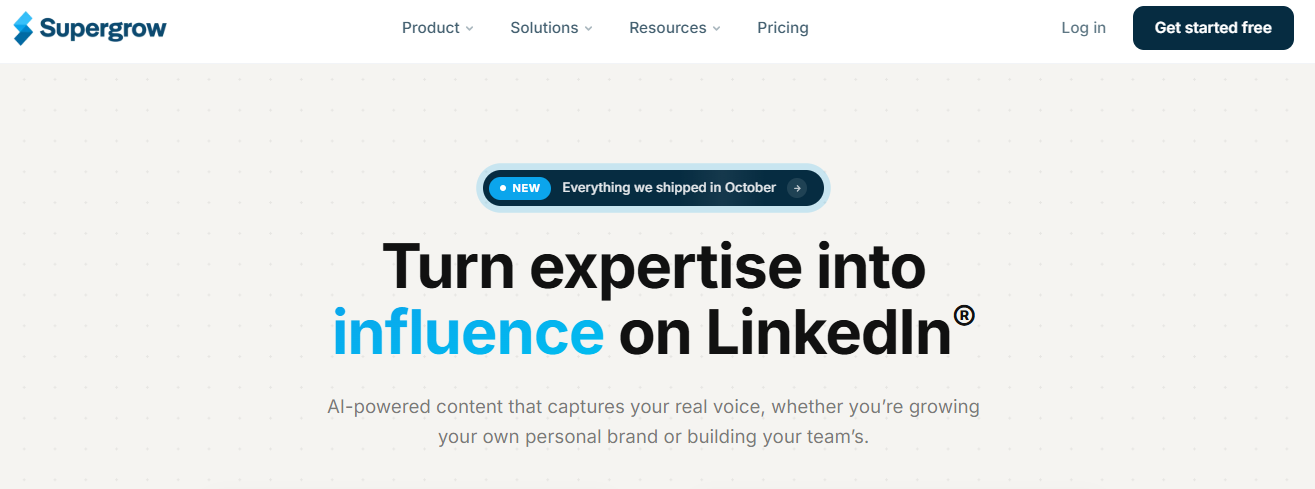
Supergrow is a linkedin post scheduler and AI drafting tool built for speed. Its core loop takes under two minutes: input a topic, URL, or idea; generate multiple post variations in different formats; pick one; schedule it. The interface is deliberately minimal — there's no CRM, no inspiration feed, no relationship tracking. What you get is a fast path from idea to published post.
Supergrow AI — the platform's content generation engine — supports hooks, text posts, carousels, and polls. Its differentiating feature is voice training: you can feed it your past LinkedIn posts and it adjusts its output to better approximate your writing style. This is a meaningful step above generic GPT wrappers that produce the same cadence regardless of who's writing. In practice, the voice matching takes 2–3 iterations of training posts to show a noticeable improvement, but it does work.
According to Feedboss (2026), Supergrow starts at $19/month — meaningfully cheaper than Taplio at the bottom of the pricing ladder. In practice, most creators who need scheduled posting and fuller AI features end up on the Pro tier at around $39/month, which is still $10/month less than Taplio's comparable plan. That said, the entry tier is a genuinely usable starting point, not a crippled trial.
Does Supergrow Have Real AI Post Generation — Or Is It Just Templates?
Supergrow's AI generation is real — it uses a large language model to produce original drafts, not just fill-in-the-blank templates. The distinction matters because template-based tools produce content that reads identically across users. Supergrow's output varies meaningfully based on your input and your voice training data. The posts still require editing (every AI-generated LinkedIn post does), but they're a genuine starting point rather than a stylistic dead end.
The most common limitation noted by experienced creators is that Supergrow's AI performs best on straightforward content formats — the hook-story-CTA structure, list posts, and opinion takes. Long-form LinkedIn articles, nuanced thought leadership, and highly technical content still require more human rewriting than the tool's interface suggests. Use it for volume; don't rely on it for your most important posts.
Supergrow's Limitations: What It Can't Do (Yet)
Supergrow's deliberate simplicity comes at a cost. What's missing compared to Taplio:
- No CRM or lead tracking — you can't tag engaged followers or monitor DM threads
- Simpler scheduling logic — no audience-activity-based timing optimisation
- No content inspiration feed — you bring your own ideas
- Limited integration ecosystem — fewer native connections to tools like HubSpot or Zapier
- Analytics are basic — you get post-level data, not deep audience insights
- No multi-account management — single-profile architecture like Taplio
For a solo creator focused purely on output volume, those gaps are acceptable. For anyone running a ghostwriter client management workflow or managing LinkedIn for multiple people, they're blockers.
Taplio vs Supergrow: Head-to-Head Feature and Pricing Comparison

The clearest way to see the tradeoffs is side by side. This table covers the dimensions that actually matter when choosing a best LinkedIn scheduling and analytics tool for your workflow.
| Feature | Taplio | Supergrow | Hypelio |
|---|---|---|---|
| Starting price | ~$29/month | ~$19/month | Per account, billed upfront |
| AI post generation | ✓ Template + history-trained | ✓ Voice-trained LLM | ✓ Story bank (voice recordings) |
| Post scheduling | ✓ Advanced | ✓ Basic | ✓ Audience-activity optimised |
| Analytics depth | Above native LinkedIn | Basic post-level | Per-account + client-ready reports |
| CRM / lead tracking | ✓ CRM-lite | ✗ | ✗ |
| Multi-account management | Limited / costly | ✗ | ✓ Core feature — no client passwords |
| Client approval workflow | ✗ | ✗ | ✓ Draft link sign-off |
| Voice consistency | Moderate (template-based) | Moderate (post training) | High (verbatim voice capture) |
| G2 rating | 4.5/5 | Not independently verified | 4.8/5 |
Which Tool Is Better for Personal Branding vs. Agency Use?
For personal brand voice consistency as a solo creator, Supergrow edges ahead purely on simplicity — less friction between idea and published post means you actually post more consistently, which matters more than any individual feature. Taplio's additional complexity is only worth it if you're actively using the CRM or deeply analysing your engagement data week over week.
For agency use, neither tool is well-suited. Both are architected around a single LinkedIn profile as the primary unit. Managing five client accounts on Taplio means five separate subscriptions or significant workflow workarounds. The same applies to Supergrow. This is the shared structural gap that neither tool has solved — and it's why a dedicated Supergrow alternative built for multi-account management exists in the market.
Can Either Tool Manage Multiple LinkedIn Company Pages?
In limited form, yes — but neither tool makes it straightforward. Taplio can connect to company pages in addition to personal profiles, but the scheduling and analytics experience is primarily optimised for personal profiles. Supergrow's company page support is similarly basic. Neither tool provides the kind of multi-account workspace where you can toggle between five company pages and five personal profiles, each with their own content calendar, voice settings, and analytics dashboard. For that level of management, you need a tool built specifically around the multi-account use case.
Common Mistakes to Avoid When Choosing a LinkedIn AI Content Tool
The most common failure mode isn't choosing the wrong tool — it's choosing based on a demo rather than a workflow test. These are the mistakes that cause creators and agencies to migrate tools six months in.
Mistake #1: Assuming AI posts will sound like you by default. Both Taplio and Supergrow require deliberate voice training and editing investment before outputs feel authentic. Teams that skip the voice setup phase consistently find that AI-generated content reads like a press release, not a person — and engagement rates reflect that.
Mistake #2: Underestimating the multi-account problem. Creators who start with one profile often add client accounts or company pages within months. Choosing a tool not built for multi-account LinkedIn management means migrating later — including resetting your post history, analytics baseline, and scheduling setup. That's a significant operational cost.
Mistake #3: Over-indexing on analytics you won't act on. Taplio's richer data is only valuable if you have the time and process to review and iterate based on it. If you're posting and moving on without a weekly review ritual, you're paying for dashboard complexity that adds no output.
Mistake #4: Ignoring data portability and cancellation terms. This is the question both Taplio and Supergrow's marketing pages don't answer clearly: what happens to your scheduled posts, historical analytics, and saved content if you cancel? Verify this before you commit, particularly if you're using the scheduling feature as a live content calendar. Accounts that don't check this typically face a gap in their posting schedule when switching tools.
✓ LinkedIn AI Tool Selection Checklist
- ☐Confirm whether you need CRM/lead tracking — if not, Taplio's added cost isn't justified
- ☐Count how many LinkedIn profiles you'll need to manage within 12 months — not just today
- ☐Test the AI generation with 5 real topics from your content calendar before committing to a plan
- ☐Check cancellation terms and what happens to scheduled posts and analytics on account closure
- ☐Verify whether the trial tier includes scheduling and AI generation, or only the most basic features
- ☐If managing clients: confirm the tool supports separate voice profiles, calendars, and reporting per account
Once you've audited your actual needs against that checklist, the right tool becomes clearer — and so does whether Taplio or Supergrow is even the right category of tool for you.
Managing LinkedIn for More Than One Person?
Hypelio handles multi-account LinkedIn management with separate voice profiles, client approval workflows, and one-click reporting — without holding client passwords.
See How Hypelio WorksThe Better Alternative: Why Agencies and Ghostwriters Choose Hypelio Over Taplio or Supergrow
What separates top-performing LinkedIn ghostwriters from those stuck in operational chaos is not better AI — it's a workflow that scales. Taplio and Supergrow both solve the solo creator problem reasonably well. Neither solves the multi-client problem at all.
Hypelio is built from the ground up for the use case both tools neglect: managing multiple LinkedIn profiles under one workspace, without ever holding client passwords, with each account maintaining its own distinct voice, content calendar, and analytics. That's not a feature addition — it's a fundamentally different architecture.
Its story bank system — Hypelio's standout feature — captures content ideas directly from voice recordings, verbatim. AI drafts are built from the client's own words and phrases, not from generic model outputs. The result is posts that actually sound like the person. That's a meaningful contrast to both Taplio and Supergrow, where voice approximation depends on feeding the tool past posts and accepting a statistical average of your writing style.
The gap between "AI content that sounds like you" and "AI content that is built from your actual words" is the gap between a tool that helps you post more and a tool that helps you post authentically.
The client approval workflow sends drafts via link for sign-off before anything publishes — no back-and-forth email chains, no risk of posting unapproved content. Scheduling is optimised to each account's specific audience activity window. And the reporting dashboard produces client-ready exports in one click, covering the LinkedIn analytics and engagement tracking that agencies need to demonstrate value to clients monthly.
Hypelio is rated 4.8/5 on G2 and is used by professionals at Google, Meta, Goldman Sachs, and Accenture — positioning it as the enterprise-trusted option in a market where most tools are built for individual creators. For a Taplio alternative LinkedIn creator tool that genuinely handles scale, it's the most complete option available. You can also explore Hypelio's LinkedIn post generator and LinkedIn post scheduler to see how it handles these core functions at the account level.
Hypelio vs Taplio vs Supergrow: Feature Comparison at a Glance
The table in the head-to-head section above covers this in full. The summary version: Taplio wins on CRM and analytics for solo creators. Supergrow wins on price and speed for creators who want volume. Hypelio wins on multi-account architecture, voice preservation, and client workflow — the three dimensions neither competitor addresses. For agencies and ghostwriters, it's not a close comparison.
What consistently separates LinkedIn operations that scale from those that plateau is not AI quality — it's workflow architecture. The best-time-to-post data, voice consistency, and client reporting matter more than which tool has the most impressive AI demo. For a deeper look at timing, the best time to post on LinkedIn guide covers the scheduling mechanics in detail.
Ready to Move Beyond Taplio and Supergrow?
Hypelio gives you multi-account workspaces, voice-preserved AI drafts, and client-ready reporting — all under one login, without holding passwords.
Try Hypelio for Your Agency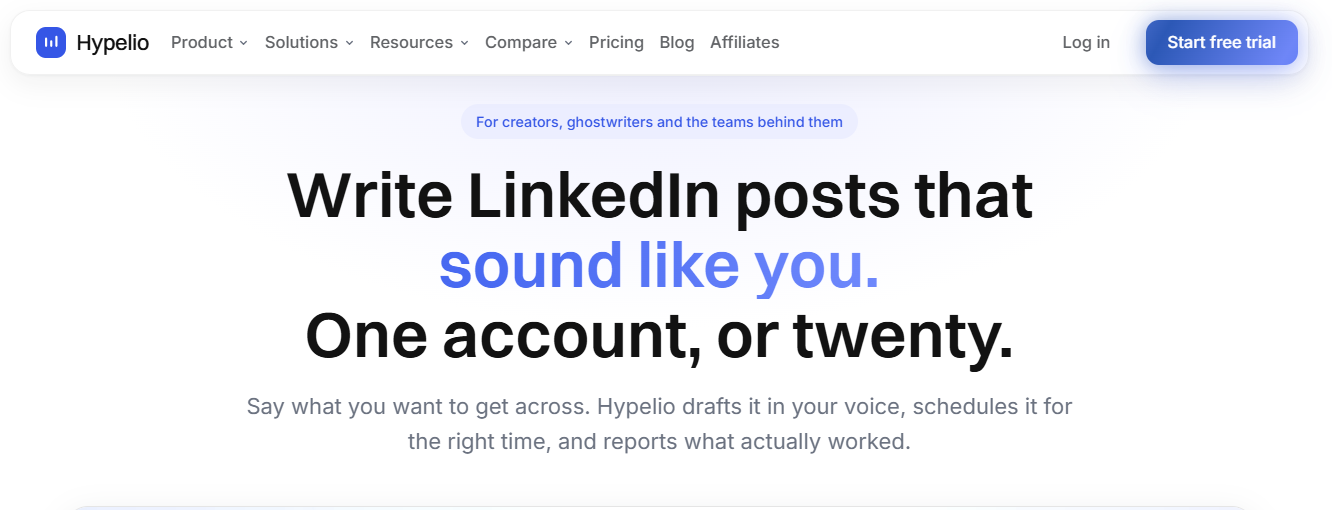
Frequently Asked Questions About Taplio vs Supergrow
Which is better for LinkedIn content creation, Taplio or Supergrow?
For pure content creation speed, Supergrow is better — its generation flow is faster and the interface has less friction. For creators who also want content inspiration and performance feedback in one tool, Taplio offers more. Neither produces post-ready content without editing; both require voice training investment before outputs feel authentic.
What features does Supergrow offer that Taplio does not?
Supergrow's main differentiator over Taplio is its content repurposing flow — you can feed it a URL, podcast transcript, or existing post and generate LinkedIn variations quickly. Its UX is also intentionally simpler, which reduces the time between having an idea and having a draft. Taplio's feature set is broader overall, but Supergrow's focused loop is faster for high-volume creators.
Is Taplio or Supergrow better for a solopreneur building a LinkedIn audience?
Supergrow is the better starting point for most solopreneurs. It's cheaper at entry level, simpler to onboard, and the core AI drafting + scheduling workflow covers what a solo creator actually needs. Taplio is worth the upgrade only if you actively use the CRM for lead tracking and review analytics weekly — otherwise the extra cost doesn't return value.
Can Supergrow replace Taplio for LinkedIn scheduling and analytics?
For scheduling, yes — Supergrow's linkedin post scheduler handles the basics. For analytics, only partially. Supergrow's data is post-level and limited; Taplio's analytics go deeper into audience trends, follower growth attribution, and content format performance. If analytics inform your strategy, Supergrow is not a full replacement for Taplio on that dimension alone.
How much does Taplio cost per month, and is it worth it?
Taplio starts at approximately $29/month, with the Growth plan most creators use at around $49/month. It's worth it if you use the CRM-lite lead tracking and review analytics regularly. It's not worth it if you're only using it to draft and schedule posts — Supergrow or a simpler LinkedIn post scheduler covers that at lower cost.
What happens to my scheduled content if I cancel Taplio or Supergrow?
Neither tool publishes scheduled content after account cancellation — posts in your queue will not go live once your subscription ends. Historical analytics may also become inaccessible. Export your data and move scheduled posts to a manual calendar or alternative tool before cancelling either platform. This is the step most people skip and regret.
Which LinkedIn AI content creation tool is best for agencies and ghostwriters managing multiple clients?
Neither Taplio nor Supergrow is well-suited for agency or ghostwriter use. Both are built around a single LinkedIn profile as the primary unit. Hypelio is the purpose-built option — it handles multi-account workspaces, separate voice profiles per client, and a client approval workflow, all without requiring client password access.
What is the best AI tool for LinkedIn posts in 2024 and beyond?
The best AI LinkedIn content creation tool depends on your use case. For solo creators: Supergrow for speed, Taplio for depth. For agencies and ghostwriters managing multiple voices: Hypelio, which is the only tool in this category built specifically for voice preservation, multi-account management, and client approval workflows at scale.
Written by the team behind Hypelio. We publish what we have actually seen work across the accounts we help run — and say so plainly when something did not.
Writing the post is the easy part
The hard part is the next one, and the one after that, still sounding like you. Hypelio drafts in your voice, keeps the queue full, and works the same whether you run one account or twenty.
No demo call. The whole price table is on the page.