Looking for the best Linkmate alternatives for LinkedIn in 2026? Compare 7 tools for outreach, content scheduling, and lead generation — with safety ratings and pricing.
The Hypelio team
November 21, 2026
7 Best Linkmate Alternatives for LinkedIn in 2026
📅 ⏱ 15 min read📝 ~3000 words
A recurring pattern among professionals searching for Linkmate alternatives for LinkedIn is that they already know what's missing — better analytics, multi-account support, or safer outreach mechanics — but can't find a comparison that starts from Linkmate's actual feature set. Most roundups lump outreach bots, content schedulers, and CRM tools together as if they solve the same problem. They don't. This guide maps seven specific tools to the specific gaps Linkmate leaves, so you can match the right replacement to your actual workflow rather than guess from a generic list.
Key Takeaways
Who this is for: creators, agencies, ghostwriters, and founders who use or considered Linkmate and need a sharper fit
What you'll learn: why people switch from Linkmate, how to evaluate safety, and which tool wins each use case
Most counterintuitive finding: the best Linkmate alternatives for content creators aren't outreach tools at all — they're content management platforms
Safety matters most: cloud-based tools with human-like delays are meaningfully lower risk than browser extensions
Free trials vary widely: Expandi offers 7 days; Hypelio's pricing is per connected account with no bloated per-seat fees
Hypelio stands out for multi-account LinkedIn management, voice-authentic AI post generation, and client approval workflows — rated 4.8/5 on G2
What Is Linkmate and Why Are People Looking for Alternatives in 2026?
What Is Linkmate and Why Are People Looking for Alternatives in 2026?
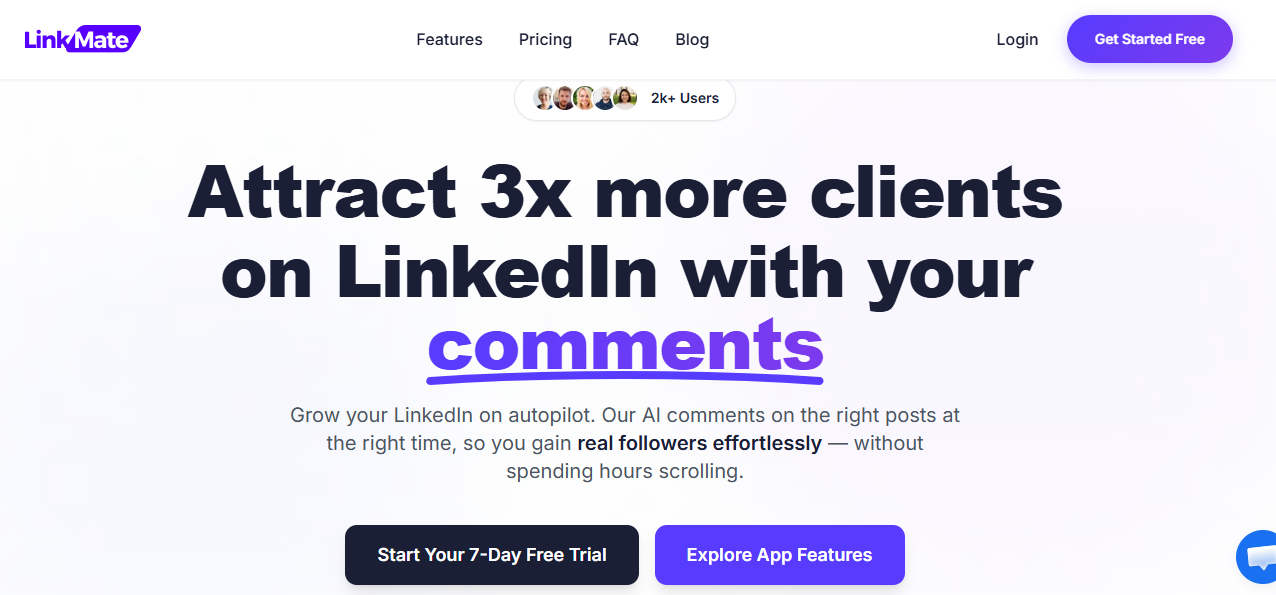
Linkmate is a LinkedIn automation tool focused on outreach sequences, automated connection requests, and profile-based engagement — primarily used by sales teams and growth-oriented professionals to increase profile visibility and generate leads at scale. Its appeal is simplicity and a low entry price. For users who want basic outreach running quickly, it delivers. The problems surface when workflows grow more complex.
What consistently drives the search for Linkmate alternatives isn't a single dramatic failure — it's accumulated friction. Users hit one of three walls:
Analytics depth: Linkmate's reporting gives you activity counts, not performance insight. Teams that need to demonstrate ROI to clients or leadership find the dashboard thin.
Multi-account support: managing more than one LinkedIn profile requires separate logins and separate tool instances — a real problem for agencies and ghostwriters handling five or ten accounts.
CRM integration: connecting Linkmate to HubSpot, Salesforce, or even a simple webhook takes workarounds that feel stitched together.
The pattern observed across users who eventually switch: they start with Linkmate for outreach, then try to expand it into a broader LinkedIn management workflow — and find it wasn't built for that. That's not a flaw; it's a scope mismatch. The right alternative depends entirely on which gap you're filling.
How Much Does Linkmate Cost — and Is the Price Worth It?
Linkmate's pricing has shifted in 2026, moving toward a tiered model where advanced features (deeper analytics, sequences, integrations) sit behind higher plans. Entry-level access remains competitive — roughly in the same range as tools like Dux-Soup's starter tier — but the mid-tier jump is where many users baulk. If you need the basics and have a single account, the cost is reasonable. If you need reporting depth, multi-account support, or API access, you'll pay significantly more and still get a narrower feature set than purpose-built alternatives.
💡
Pro Tip:Before comparing prices, write down the three things you actually need the tool to do. Most users overpay for outreach features they barely use, when a content scheduling tool at half the price would solve their real problem.
Is Linkmate Safe to Use on LinkedIn — and What Makes Any LinkedIn Automation Tool Safe?
Is Linkmate Safe to Use on LinkedIn
LinkedIn detects automation through a combination of rate-limit monitoring, browser fingerprinting, and activity-pattern analysis. A tool that sends 80 connection requests on a Monday morning after a weekend of zero activity triggers exactly the kind of spike LinkedIn's systems flag. The question "Is Linkmate safe to use on LinkedIn" doesn't have a yes/no answer — it depends on how you configure it.
The distinction that matters most when evaluating safe LinkedIn automation tools is architecture:
Cloud-based tools run from a dedicated IP address, can throttle activity to human-like rates, and don't require your browser to stay open. Lower risk.
Browser extensions run from your machine and your IP, making them easier for LinkedIn to pattern-match against your normal behaviour. Higher risk if misconfigured.
The most common failure mode isn't the tool itself — it's how people configure it. Running sequences 24 hours a day, sending 100+ connection requests in a single session, or using a tool that stores your LinkedIn password rather than authenticating via session cookie — these are the behaviours that get accounts restricted. Understanding what makes LinkedIn automation safe is the foundation for evaluating any tool on this list.
⚠️
Warning:Any tool that asks you to store your LinkedIn username and password directly — rather than authenticating via cookie or OAuth — creates a security risk beyond just account restriction. Avoid tools that require full credential access.
Why Look for a Linkmate Alternative: The Most Common Switching Triggers
Teams that switch from Linkmate consistently name the same three moments: a pricing tier change that pushed them over budget, a client request for reporting they couldn't produce, or a LinkedIn account warning that made them nervous about their current tool's behaviour. It's rarely one dealbreaker — it's one trigger that makes the accumulated friction finally worth fixing.
The 7 Best Linkmate Alternatives for LinkedIn in 2026
Each tool below is mapped to a specific use case. This isn't a ranked list — it's a decision guide. The right tool depends on whether your primary need is content management, outreach automation, or lead generation.
Best for Content Scheduling and Multi-Account Management: Hypelio
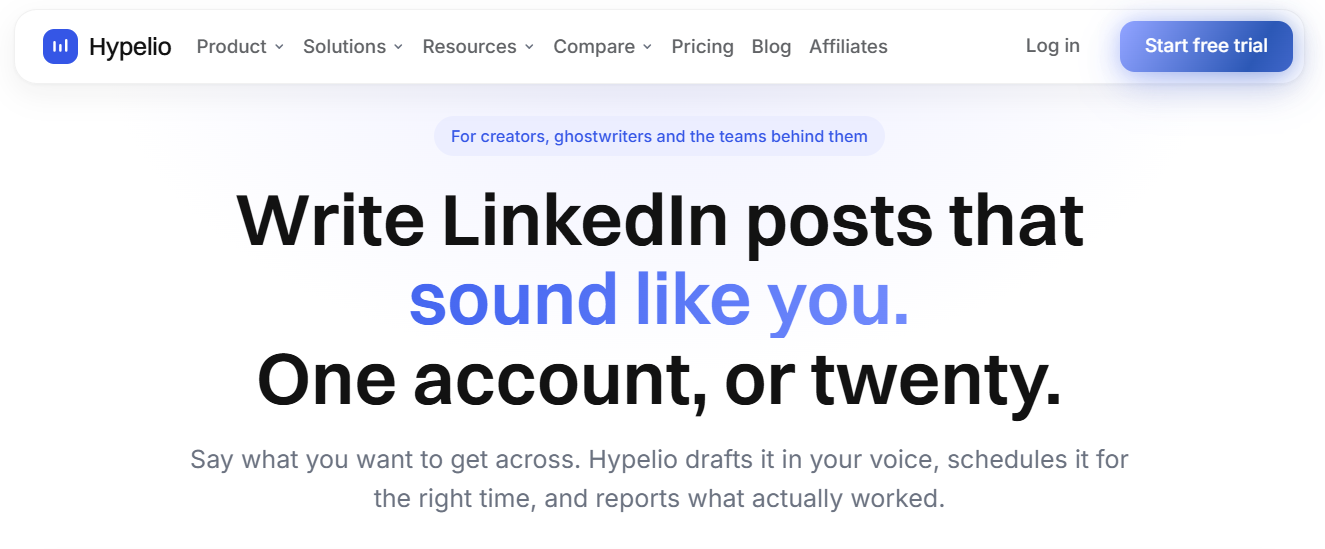
What separates Hypelio from every other tool on this list is what it doesn't do: it doesn't automate outreach, it doesn't send unsolicited messages, and it never touches your LinkedIn credentials. That's intentional. Hypelio is built for the other side of LinkedIn growth — consistent, authentic content that actually sounds like the person posting it.
Its standout feature is the story bank: a system that captures ideas from voice recordings verbatim, so the AI-generated draft is built from the user's actual words and phrases rather than a generic model output. For agencies and ghostwriters managing multiple client accounts, this is what makes the difference between posts that feel authentic and posts that read like a template. The ai linkedin post generator inside Hypelio is voice-first by design.
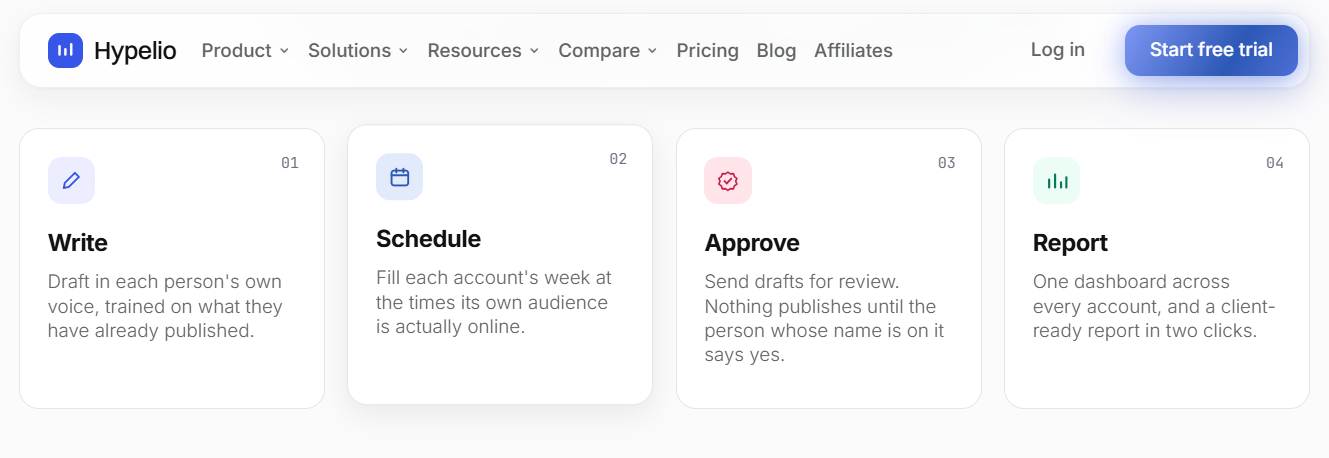
The multi-account LinkedIn scheduling workspace lets you manage every client profile under one login — without ever holding client passwords. Each account has its own voice settings, posting calendar, and analytics. The client approval workflow sends drafts via link before anything publishes, which matters enormously for agencies where a client post going out unreviewed is a real reputational risk.
According to Hypelio, the platform is rated 4.8/5 on G2 and used by teams at Google, Meta, Goldman Sachs, and Accenture. Pricing is per connected account — no per-seat bloat — which makes it meaningfully more cost-effective than Taplio or Supergrow at scale.
4.8/5
Hypelio's G2 rating — used by professionals at Google, Meta, Goldman Sachs, and Accenture
Best for: agencies, ghostwriters, founders, and creators managing multiple LinkedIn profiles who need a linkedin post scheduler, authentic AI-assisted writing, and client sign-off built in.
hypelio.com
Write LinkedIn posts that sound like you
Draft in your voice, schedule, and report. One account, or twenty. Priced per account, published up front.
Best for Outreach Automation: Expandi, Dux-Soup, and Linked Helper
Expandi is the strongest cloud-based outreach tool for users specifically comparing Linkmate vs Expandi. It runs entirely in the cloud, assigns a dedicated IP per account, and enforces daily send limits that mimic human behaviour. Sequences include connection requests, follow-up messages, and InMail — with native CRM integrations for HubSpot and Zapier. The 7-day free trial is the best on this list for testing a real outreach workflow. Downside: at ~$99/month per seat, it's expensive for solo users or small teams.
Dux-Soup is the budget-friendly comparison for the Linkmate vs Dux-Soup crowd. It's a browser extension, which means it runs from your machine — higher detection risk than cloud tools, but manageable if you keep activity within sensible daily limits. Its strength is simplicity: profile visits, connection requests, and basic drip messages without a steep learning curve. The starter tier at ~$14.99/month makes it one of the most accessible entry points for LinkedIn outreach automation software.
Linked Helper 2 is a desktop application rather than a browser extension or cloud tool — a category of its own. It operates via a local server on your machine and authenticates via session cookie rather than storing credentials. For recruiters running complex multi-step sequences across large talent pools, it offers more workflow flexibility than either Expandi or Dux-Soup. It's also among the most affordable options on a per-feature basis, making it a strong candidate as the best LinkedIn automation tool for recruiters on a constrained budget.
🔴
Avoid:Running Dux-Soup or any browser extension with the LinkedIn tab minimised or the browser in background mode for extended periods. LinkedIn flags accounts where automation activity occurs without matching browser session signals.
Best for Lead Generation and CRM Integration
PhantomBuster is purpose-built for data extraction and lead list building — it's not a messaging tool, it's a data tool. Use it to scrape search results, export connection lists, and feed leads into a CRM. Cloud-based and session-cookie authenticated. As a LinkedIn lead generation tools comparison entry, it wins on data volume and flexibility but requires more technical setup than the outreach tools above.
MeetAlfred handles multi-channel sequences — LinkedIn, email, and Twitter in a single flow — which makes it useful for sales teams running coordinated outreach rather than LinkedIn-only campaigns. It's cloud-based with reasonable safety defaults. The linkedin analytics tools inside MeetAlfred are more developed than Linkmate's, with sequence-level performance tracking.
Managing LinkedIn for clients or multiple accounts?
Hypelio handles content, scheduling, approvals, and reporting — all without holding client passwords.
What to Look for in a LinkedIn Automation or Scheduling Tool in 2026
Most professionals conflate two fundamentally different categories of LinkedIn tool — and end up buying the wrong one. LinkedIn outreach automation software handles connection requests, message sequences, and profile visits. A linkedin scheduling tool handles content creation, publishing cadence, and audience analytics. Some tools do both; most do one well and the other poorly. Getting clear on which category you actually need cuts the decision time in half.
The evaluation framework that holds up across use cases covers five dimensions:
Safety compliance: Does it use session-cookie auth or store credentials? Cloud-based or browser extension? What are the daily limits and can you configure them?
Multi-account support: Can you manage multiple profiles without separate logins? Does each account maintain its own settings, calendar, and analytics?
Content authenticity: For the ai linkedin post generator features — does the AI write from your words, or from generic prompts? The gap between these two outputs is visible in the final post.
Scheduling flexibility: Does the linkedin post scheduler optimise send times based on each account's audience activity, or just let you pick a time manually?
Analytics depth: Are you getting engagement metrics, reach trends, and content performance over time — or just impression counts?
For agencies and ghostwriters specifically, two additional criteria matter: a structured client approval workflow for social media (so nothing publishes without sign-off) and a LinkedIn profile management workflow that keeps each client's voice, tone, and content history separate. Hypelio's approval workflow was built precisely for this — drafts go out via link, clients approve or comment, and nothing publishes until they do.
The tools that last longest in agency stacks aren't the ones with the most features — they're the ones that make client management feel systematic rather than ad hoc.
LinkedIn Analytics and Posting Performance Tracking: What Good Looks Like
Good LinkedIn analytics and posting performance tracking tells you which content formats drive real follower growth, which posting times produce the most reach for a specific audience, and how engagement trends over weeks and months — not just on individual posts. A dashboard that shows you yesterday's likes is not an analytics tool. It's a vanity counter.
What to look for concretely:
Post-level reach and engagement rate trends (not just totals)
Audience growth correlated with content type
Best-performing time slots per account
Exportable reports for client presentation
Hypelio's one-click client-ready reporting dashboard covers all four — and exports in a format you can send directly to clients without reformatting. The LinkedIn text formatter is also worth bookmarking for getting post formatting right before anything goes out.
✓ LinkedIn Tool Evaluation Checklist
☐Authenticates via session cookie — does not store your LinkedIn password
☐Supports multiple LinkedIn accounts under one dashboard
☐Has configurable daily limits for outreach activity
☐Includes a client approval step before content publishes
☐Analytics include post reach trends, not just engagement counts
☐Pricing scales per account — not per seat — for agency use
☐Offers a free trial or money-back period before full commitment
Ready to replace Linkmate with something built for content teams?
Hypelio covers scheduling, AI writing, approvals, and analytics — across as many LinkedIn accounts as you manage.
Frequently Asked Questions About Linkmate Alternatives and LinkedIn Automation Tools
What are the best alternatives to Linkmate for LinkedIn outreach in 2026?
The best alternatives depend on your use case. For outreach sequences, Expandi (cloud-based, 7-day free trial) and Dux-Soup (browser extension, budget-friendly) are the strongest direct replacements. For content management and multi-account scheduling, Hypelio is the standout option — especially for agencies and ghostwriters who need client approval workflows and voice-authentic AI writing.
Which LinkedIn automation tools are safe and won't get my account banned?
Cloud-based tools with human-like delay settings — Expandi, MeetAlfred, PhantomBuster — carry meaningfully lower risk than browser extensions. No tool is entirely risk-free, since all third-party automation technically violates LinkedIn's Terms of Service. The safest approach is to stay within 20-30 connection requests per day, avoid running activity outside business hours, and never use a tool that stores your credentials directly.
What is Linkmate used for on LinkedIn?
Linkmate is primarily used for automating LinkedIn outreach — connection requests, follow-up messages, and profile-based engagement sequences. It's designed for sales teams and growth-focused professionals who want to increase profile visibility and lead volume without manually managing every interaction. It is not a content scheduling or multi-account management tool.
Is there a better tool than Linkmate for LinkedIn lead generation?
For pure lead generation and data extraction, PhantomBuster is more capable — it scrapes search results, exports connection lists, and integrates with CRMs more cleanly. For multi-channel outreach that includes email and LinkedIn in one sequence, MeetAlfred is the stronger option. The LinkedIn lead generation tools comparison above maps each tool to its specific strength.
What features should I look for in a LinkedIn automation tool?
Prioritise five things: session-cookie authentication (not credential storage), cloud-based architecture, configurable daily limits, CRM or webhook integration, and meaningful analytics beyond basic counts. For content-focused tools, also check for multi-account support, an AI linkedin post generator that writes from your own input, and a client approval step before anything publishes.
What are the top 10 LinkedIn automation tools, and is Linked Helper safe?
The most widely used LinkedIn automation tools in 2026 include Expandi, Dux-Soup, Linked Helper 2, PhantomBuster, MeetAlfred, Hypelio, Taplio, Waalaxy, Skylead, and Lemlist. Linked Helper 2 is considered safer than its predecessor — it authenticates via session cookie rather than storing credentials, and runs as a desktop app rather than a browser extension. Used within sensible daily limits, it's a reasonable choice for recruiter workflows.
Which LinkedIn automation tool has the best free trial?
Expandi offers a 7-day free trial that includes full access to sequences and cloud-based outreach — the most complete trial for testing real outreach workflows. Dux-Soup has a free tier with limited features. Hypelio's pricing is per connected account rather than a time-limited trial, making it straightforward to start with a single account before scaling. Most tools in this category offer 7–14 day trials rather than permanent free tiers.
Is Linkmate safe to use on LinkedIn?
Linkmate carries the same baseline risk as any LinkedIn automation tool — it operates within LinkedIn's terms of service grey area. Used conservatively (low daily limits, human-like timing, no 24/7 running), account risk is manageable. The bigger concerns are limited transparency around how it handles authentication and the lack of cloud-based infrastructure, which makes activity patterns harder to control precisely.
After seeing this across dozens of LinkedIn tool evaluations, the pattern is consistent: users who start by asking "which tool is safest?" make better decisions than users who start by asking "which tool sends the most messages?"
Written by the team behind Hypelio. We publish what we have actually seen work across the accounts we help run — and say so plainly when something did not.
Writing the post is the easy part
The hard part is the next one, and the one after that, still sounding like you. Hypelio drafts in your voice, keeps the queue full, and works the same whether you run one account or twenty.


 hypelio.com